

More Products Color
When customers visit the product page, they will notice additional color or style options displayed beneath the product title. They can click on these options to view the corresponding variations of the product.
Step 1:
- Access your Shopify store Admin, then navigate to Settings and select Custom data. From there, go to Products and click on Add Definition.
- Follow these steps to create a Metafield, referring to the image provided below for guidance.
- Click Save after every adjustment is done.
.jpg)
.jpg)
Step 2 :
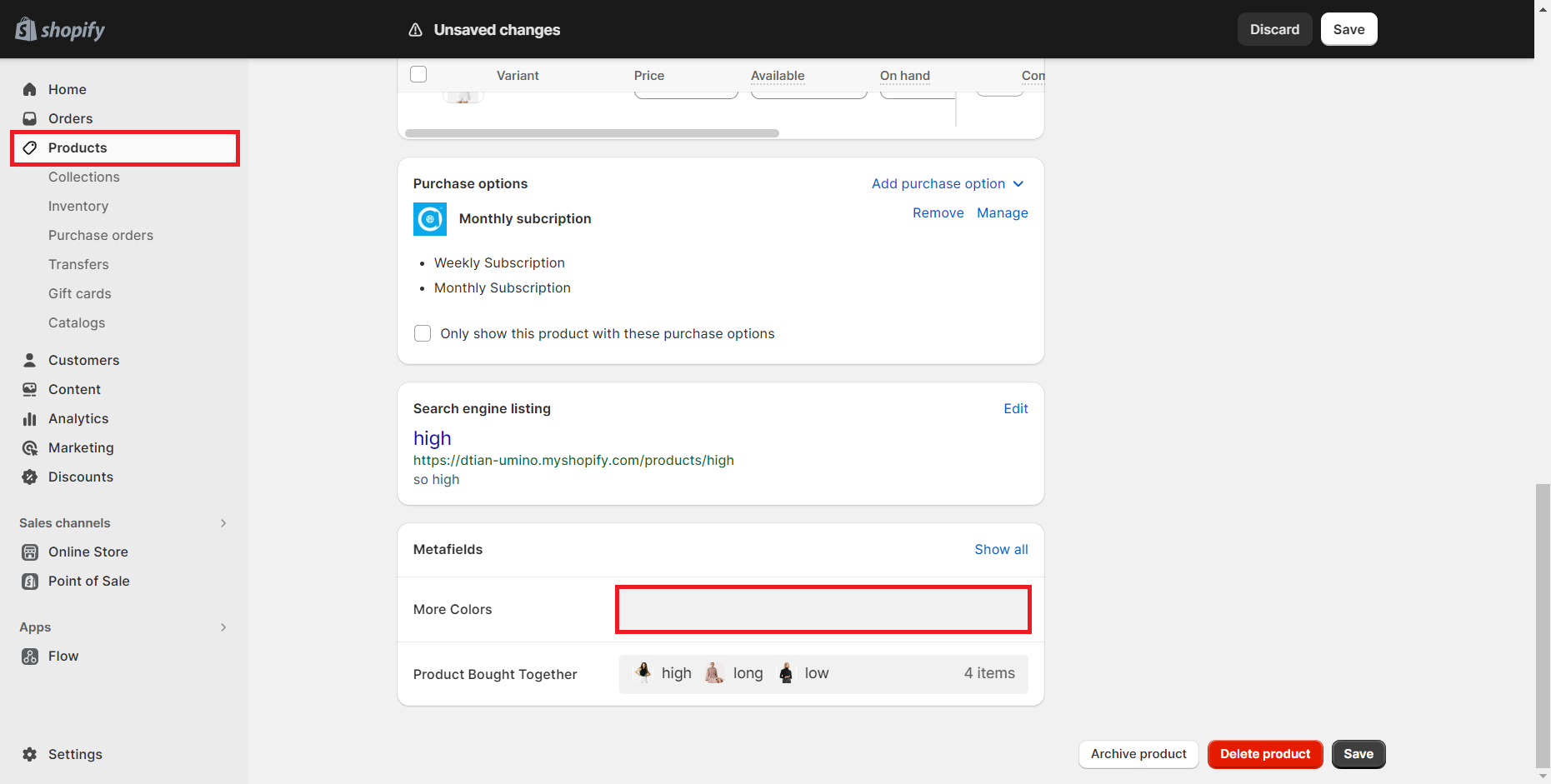
- Proceed to the Products section, and choose any specific product.
- Scroll down to locate the Metafield box.
- Within this box, click on the More Colors field, and select the associated products from the options available.
Step 3 :
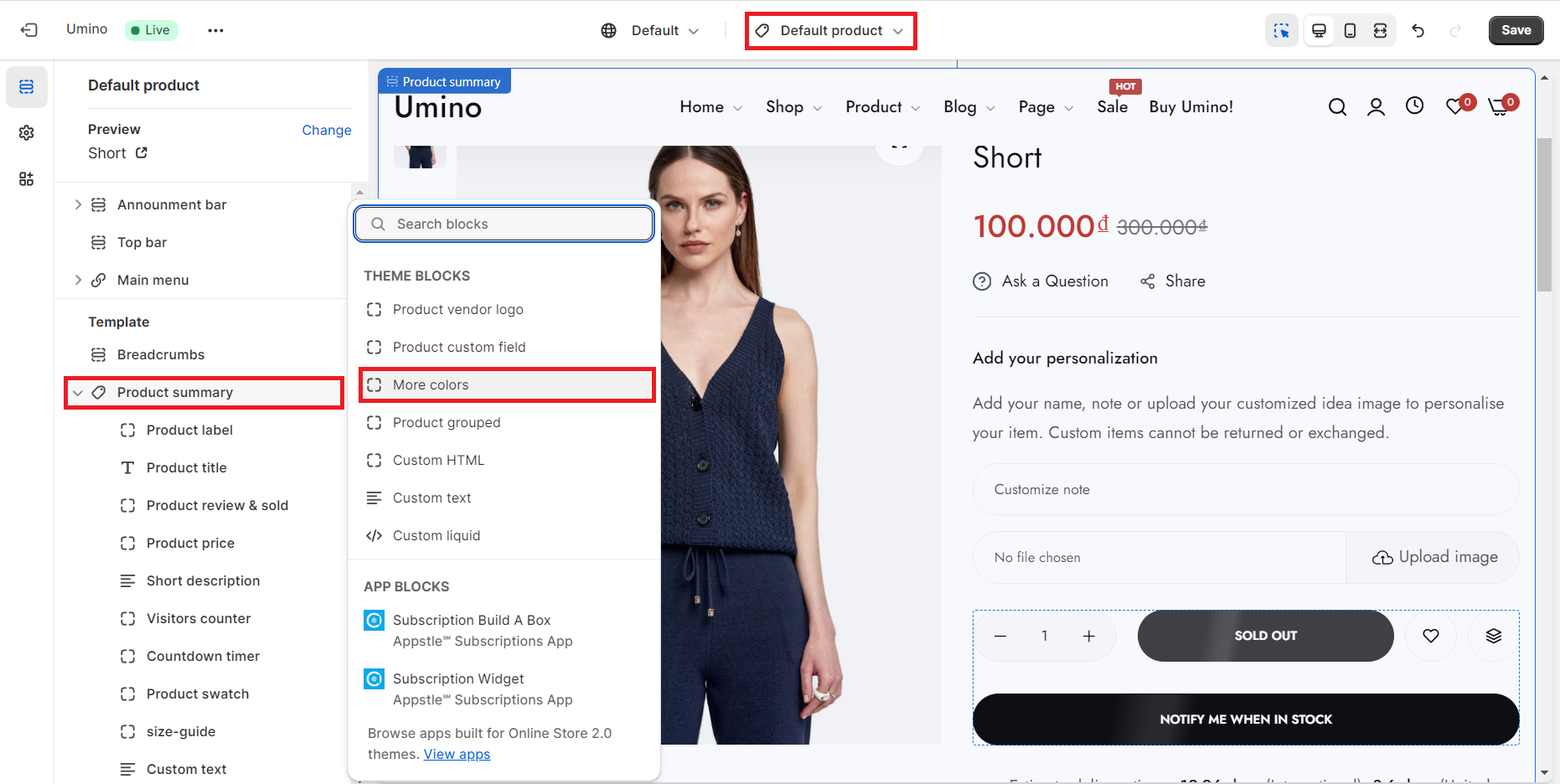
- In the theme editor, Choose Default product top dropdown menu.
- Click Product Main section.
- Click Add Block, Select More Colors block and save.
Make style change from block and click save. Now you can view product from store front.
No comments yet