Contact Us

Contact NextSky if you need further assistance.

Setup External/Affiliate product

External / Affiliate products are not as commonly used as other types of product in Shopify. However, Umino theme supports this special type of product. You may want to redirect customers to other sites that sell the products, and you will need to create external / affiliate products for this purpose.

To setup External/Affiliate product, please follow these steps:

Step 1: Create metafields

To create metafields for External/Affiliate product, please follow this article .
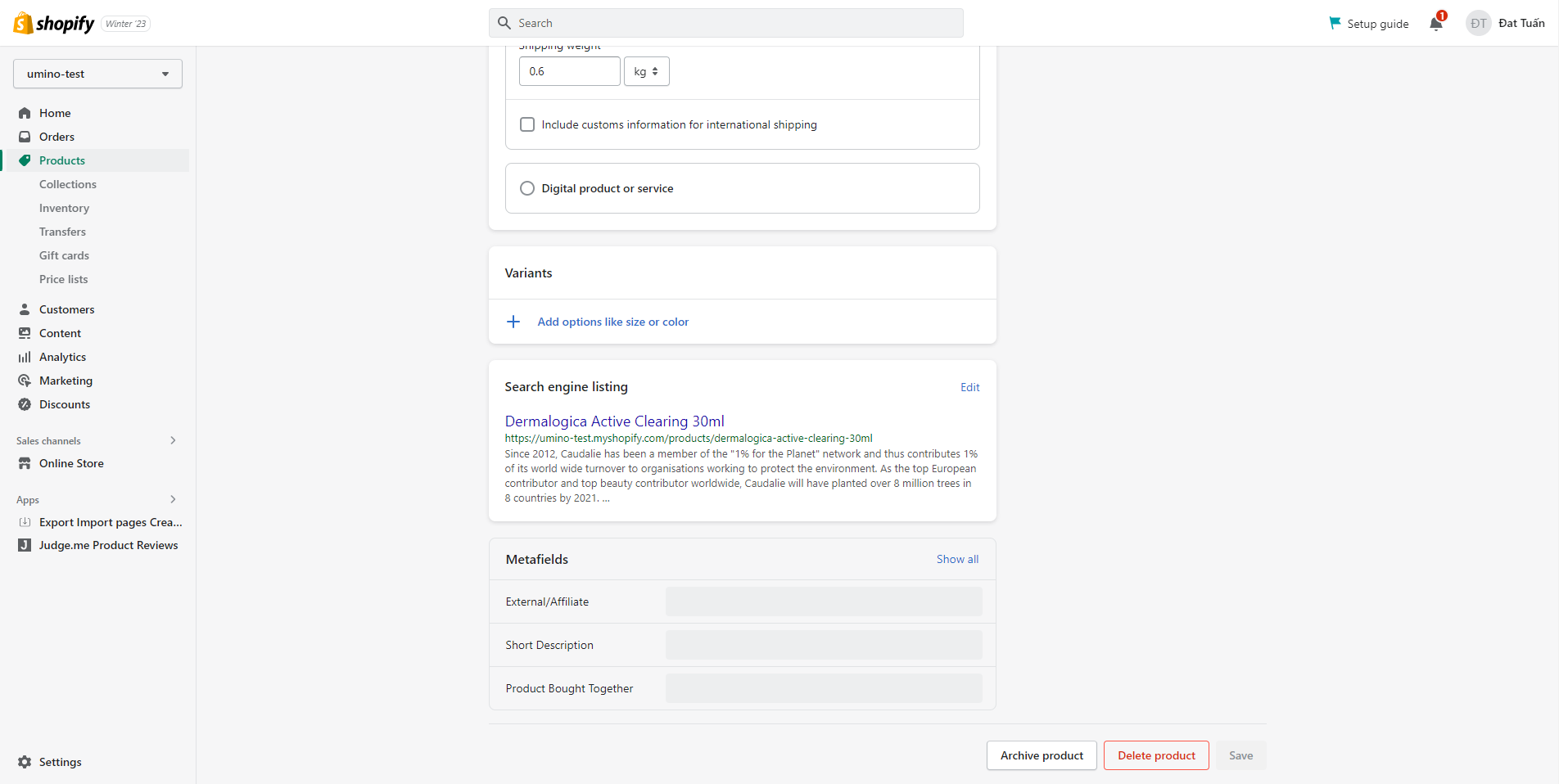
Step 2: Setup product

  1. From your admin, go to Products and select the products to setup
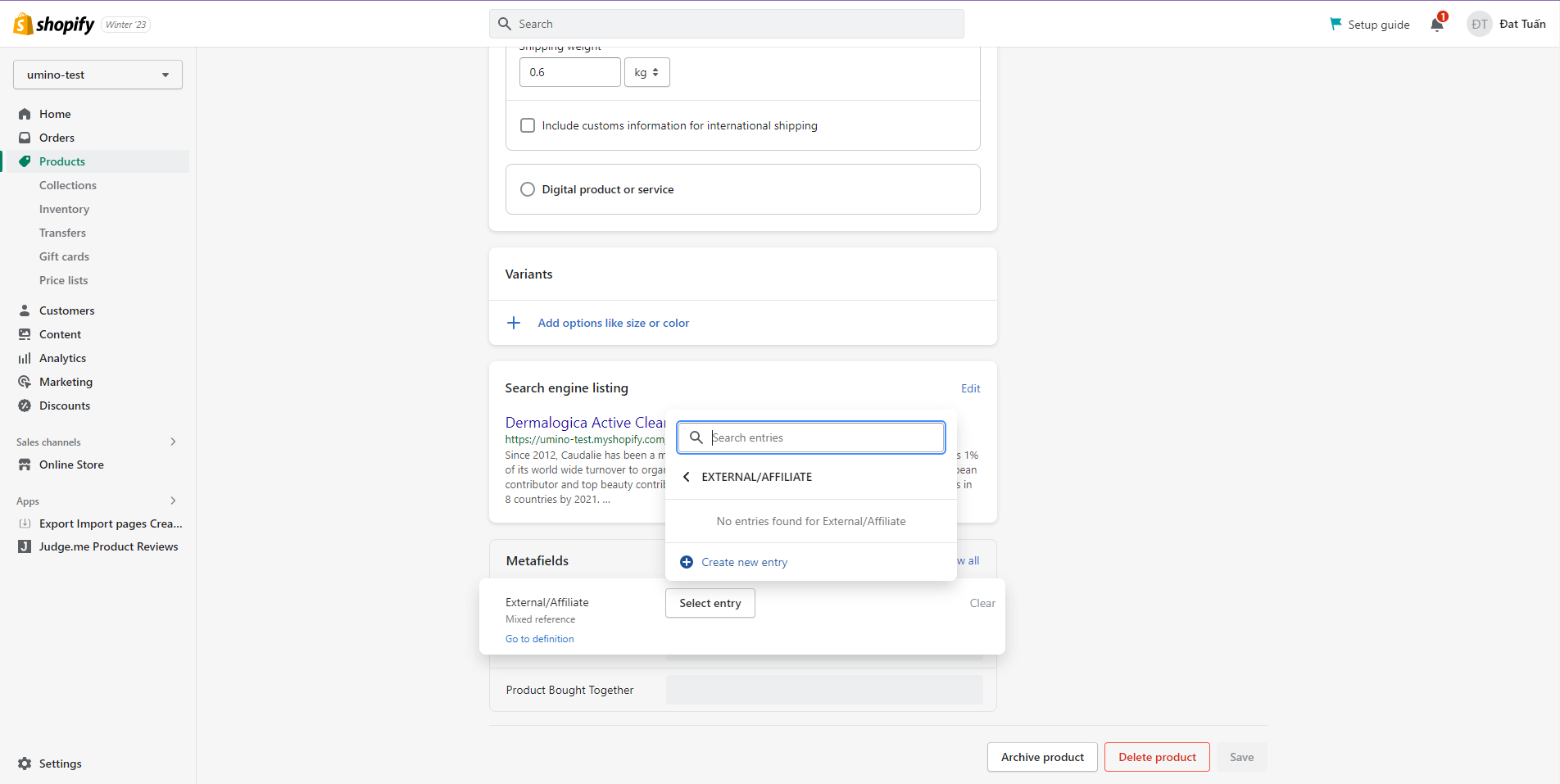
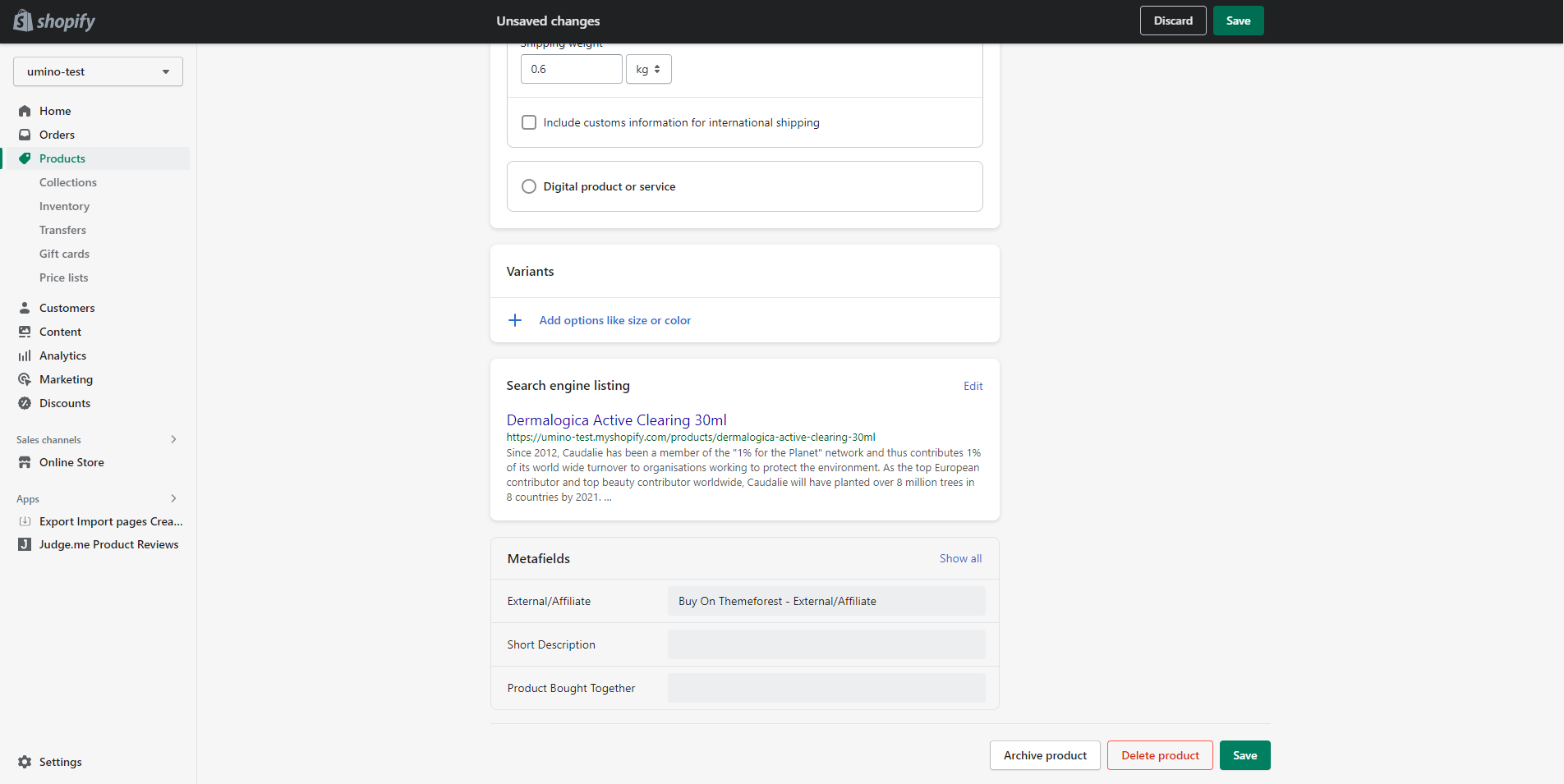
  2. Scroll down to Metafields and click to External/Affiliate
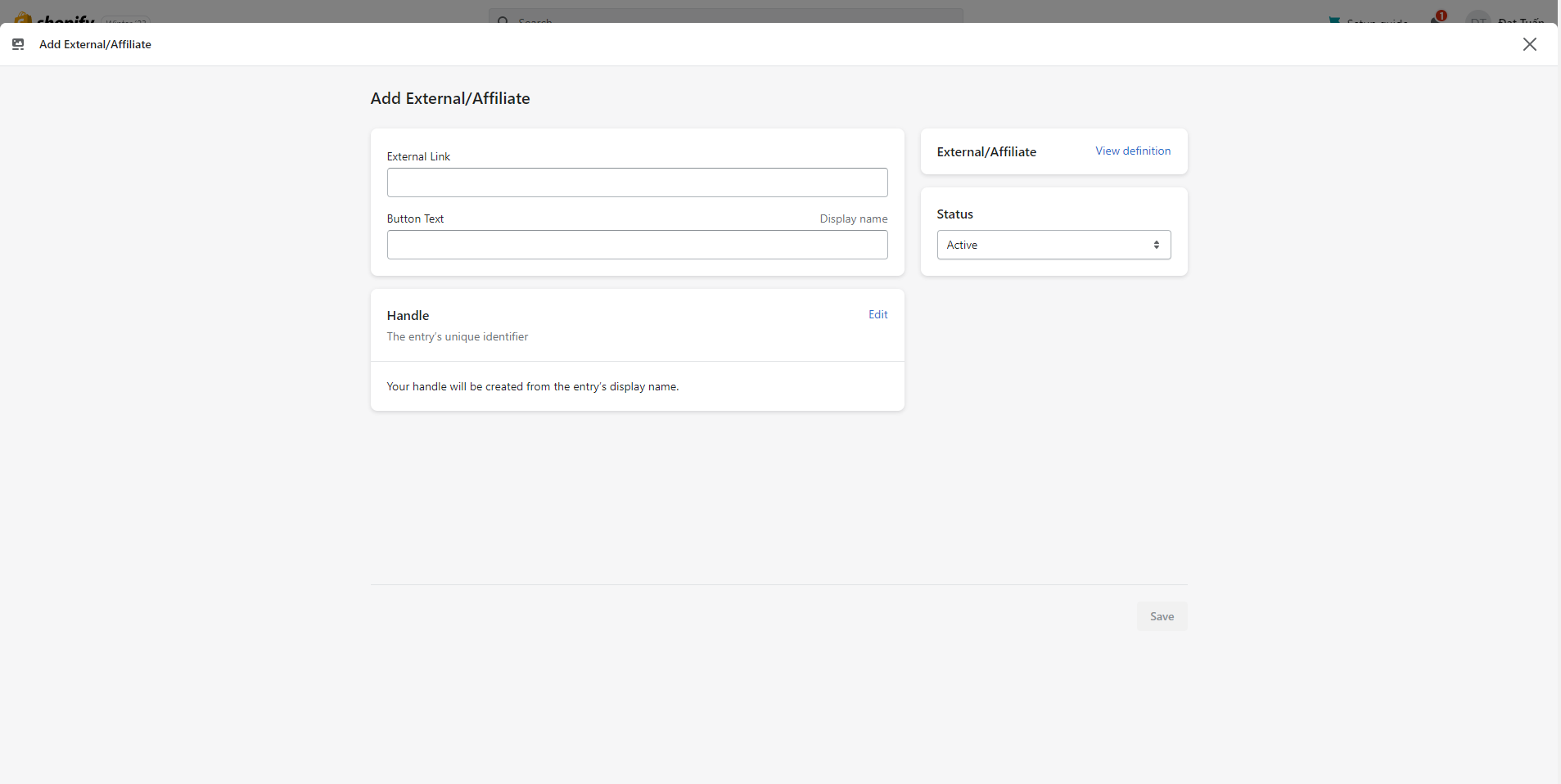
  3. Click to Select entry and Create new entry
  1. Add link of product to External Link and Add the text of the button in Button Text
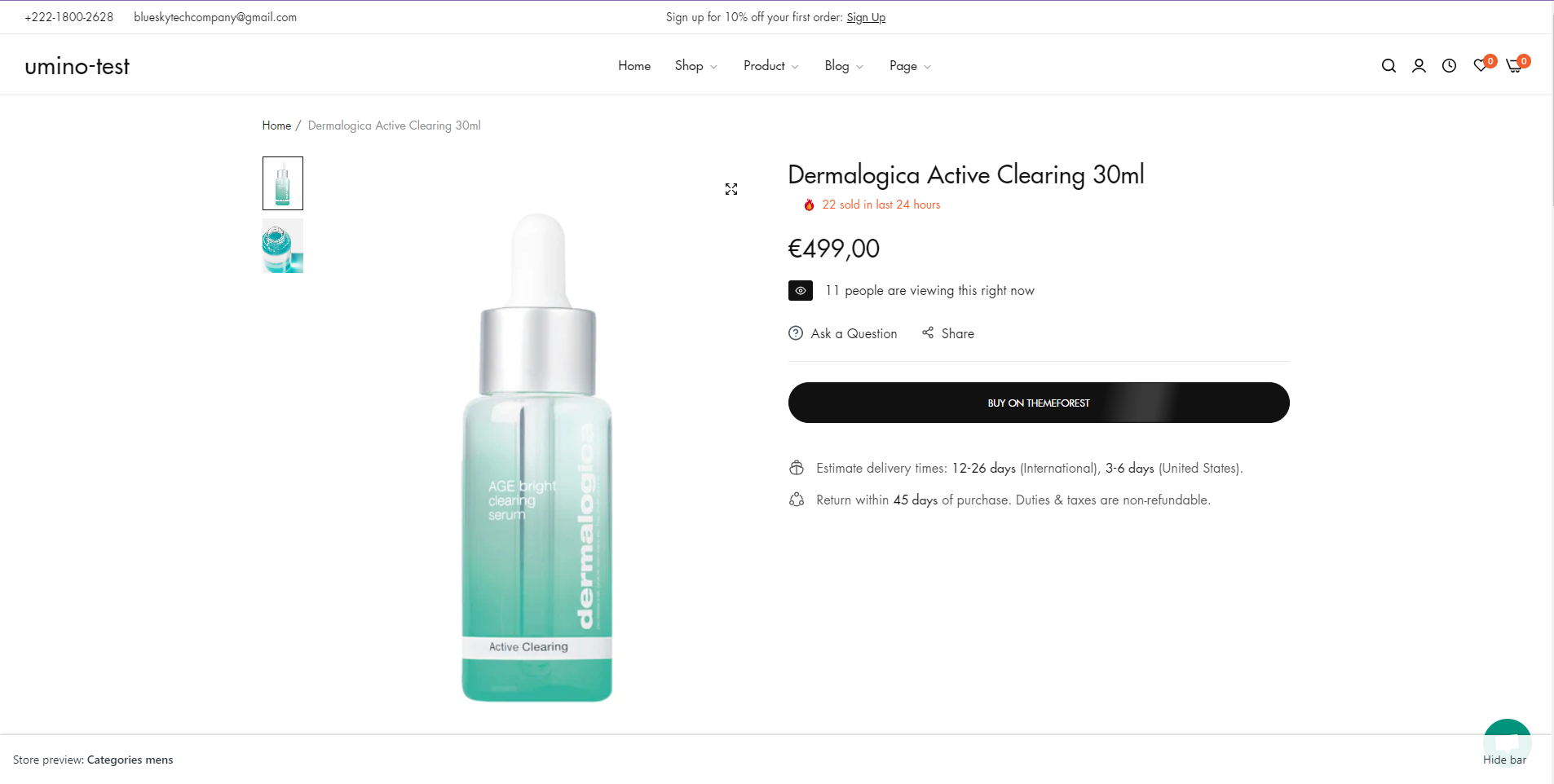
  2. Click Save, Preview this product and you can see the result

Comments

No comments yet

Looking for Help?
Get support from our team

If you can't find the answer you're looking for, our support team is here to help.