

Edit theme code
You can edit your theme code to make detailed changes to your online store. Most of the files that make up a theme contain Liquid , Shopify's templating language. Theme files also contain HTML, CSS, JSON, and JavaScript. Edit the code for a theme only if you know HTML and CSS, and have a basic understanding of Liquid.
Before you customize your theme, it's a good idea for you to Duplicate your theme to create a backup copy. This makes it easy to discard your changes and start again if you need to.
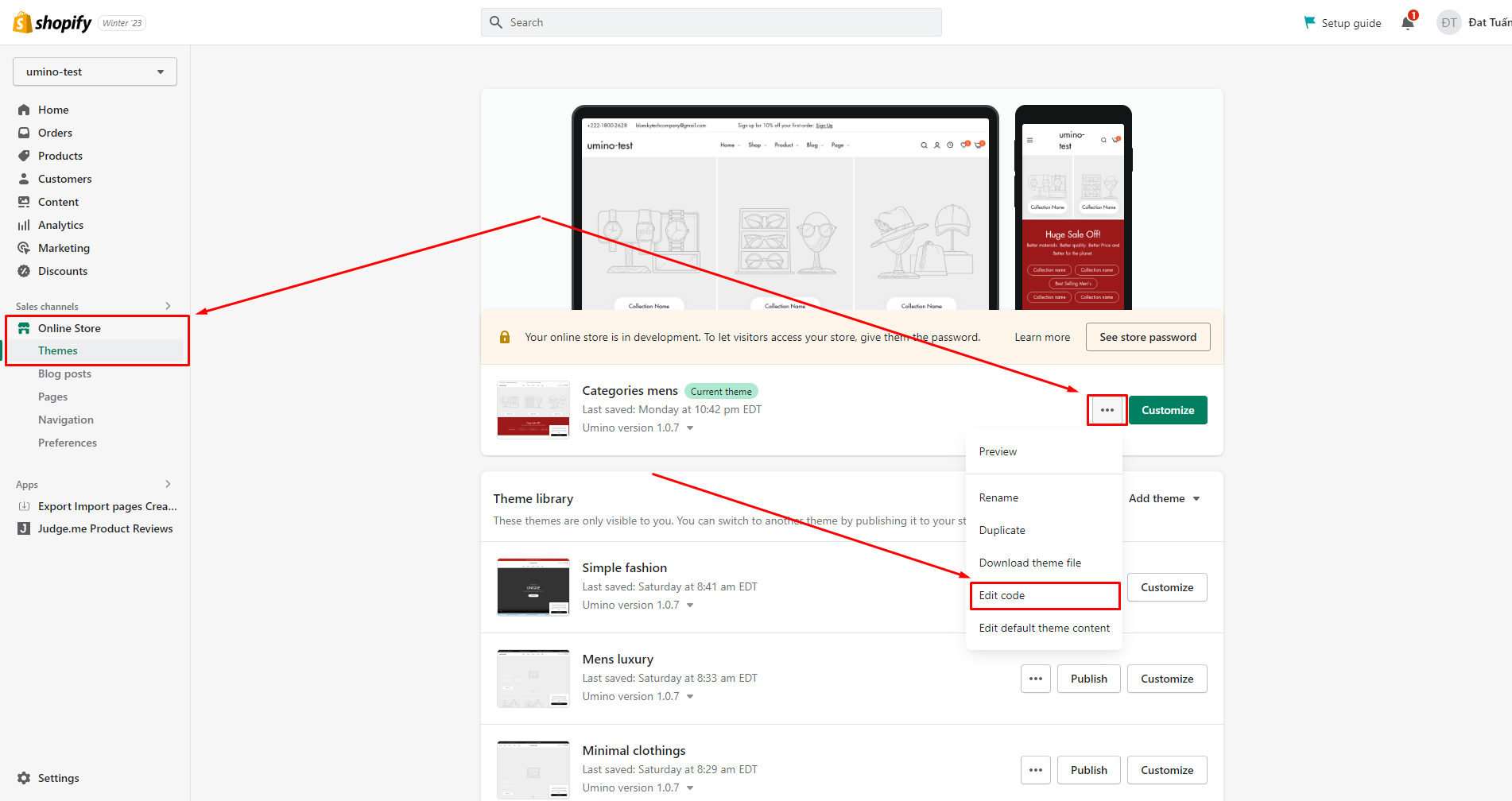
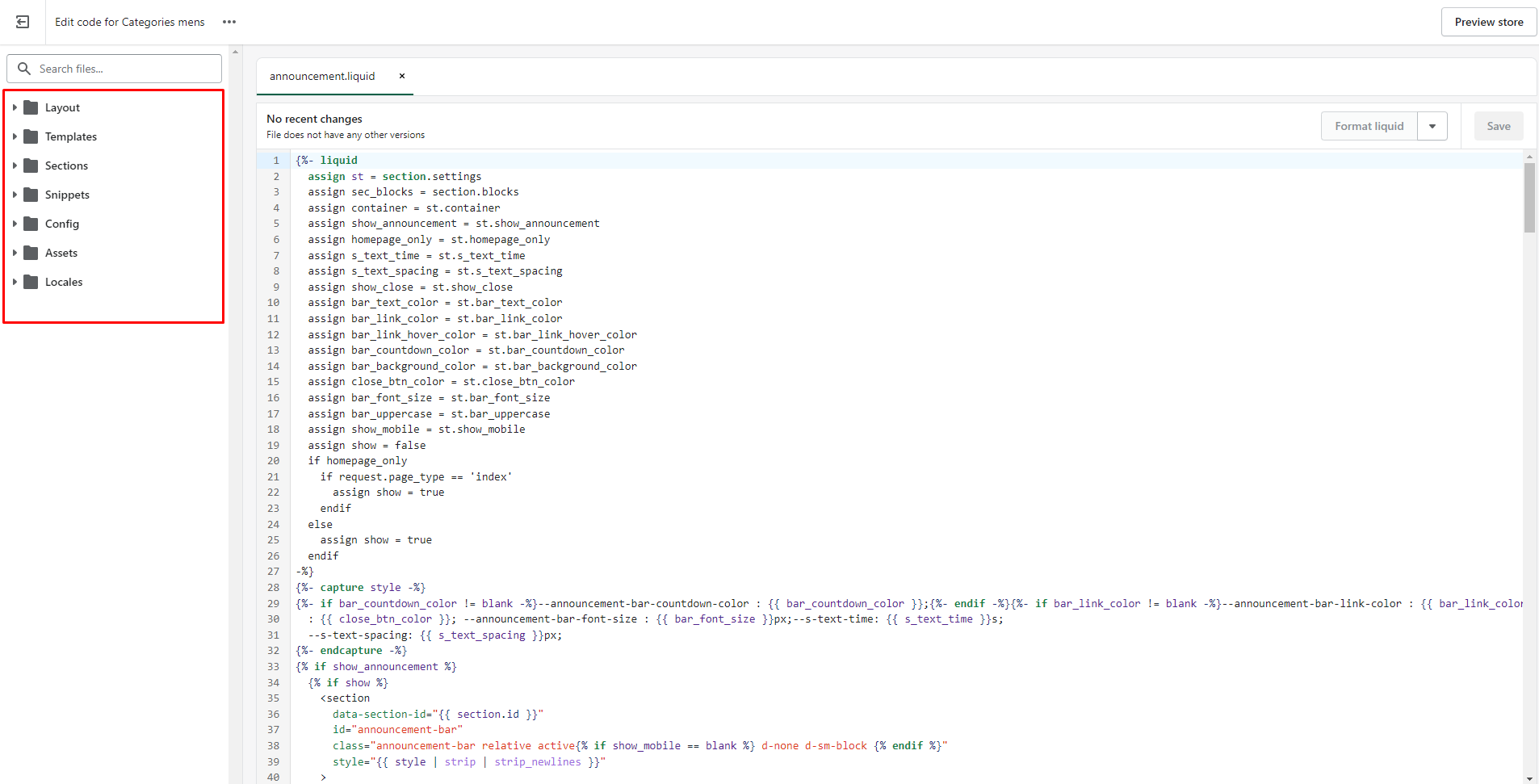
To edit your theme code, please follow the steps:
No comments yet