

Install Umino manually
Download Umino
To download Umino from Themeforest, please follow these steps:
Step 1: Login to Themeforest => Click to Profile icon and select Downloads
Step 2: Select Umino item from your Downloads list, Click to Download button => All files and documentation
1. Install Umino
1.1 Unzip Umino package
After downloading the Umino theme from Themeforest.net , please extract the file using the following steps
1.1.1 : Right-click on the theme zip file you have just downloaded.
1.1.2: Unzip this file and open it
.png)
1.2. Install Umino to your store
Step 1: From your admin, click to Online store => Themes => Add theme => Upload zip file
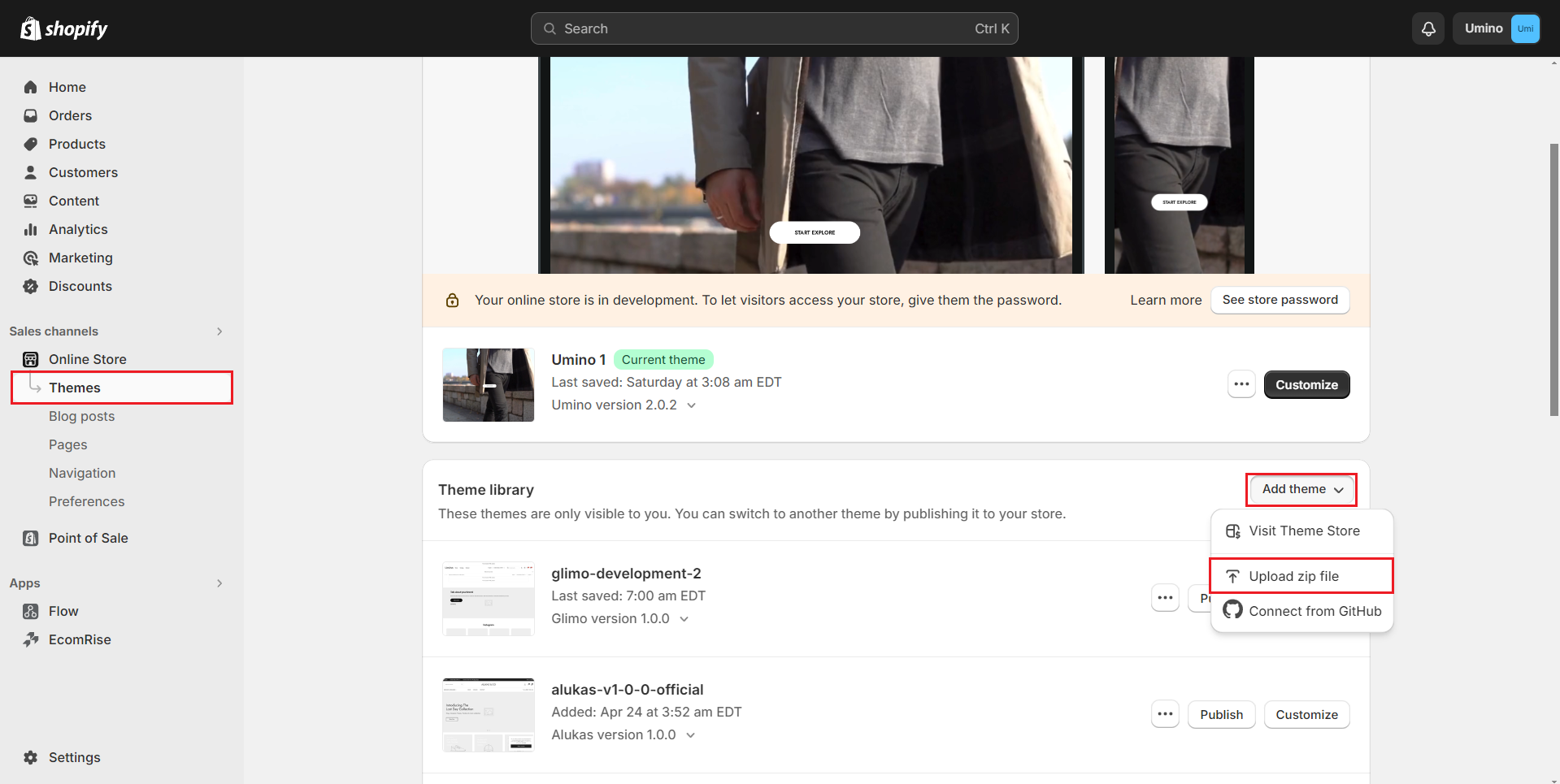
Step 2: Click to Add file
.png)
Step 3: Select file Umino_main_official.zip zip file and click to Upload file
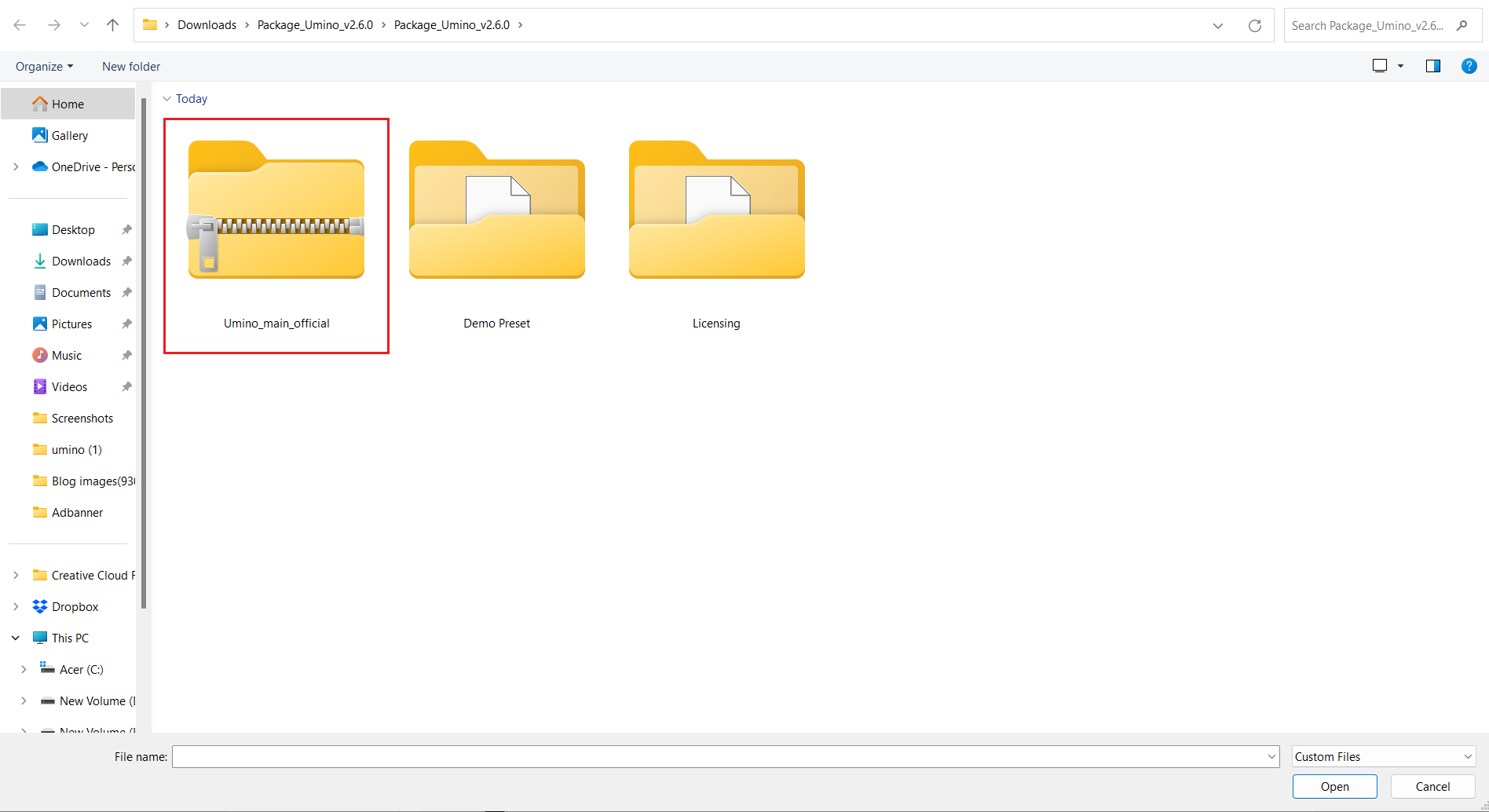
According to Shopify, after installing Umino, you will get a theme with placeholder images. You can upload your own images to decorate your store base on Umino layout.
2. How to import other theme templates?
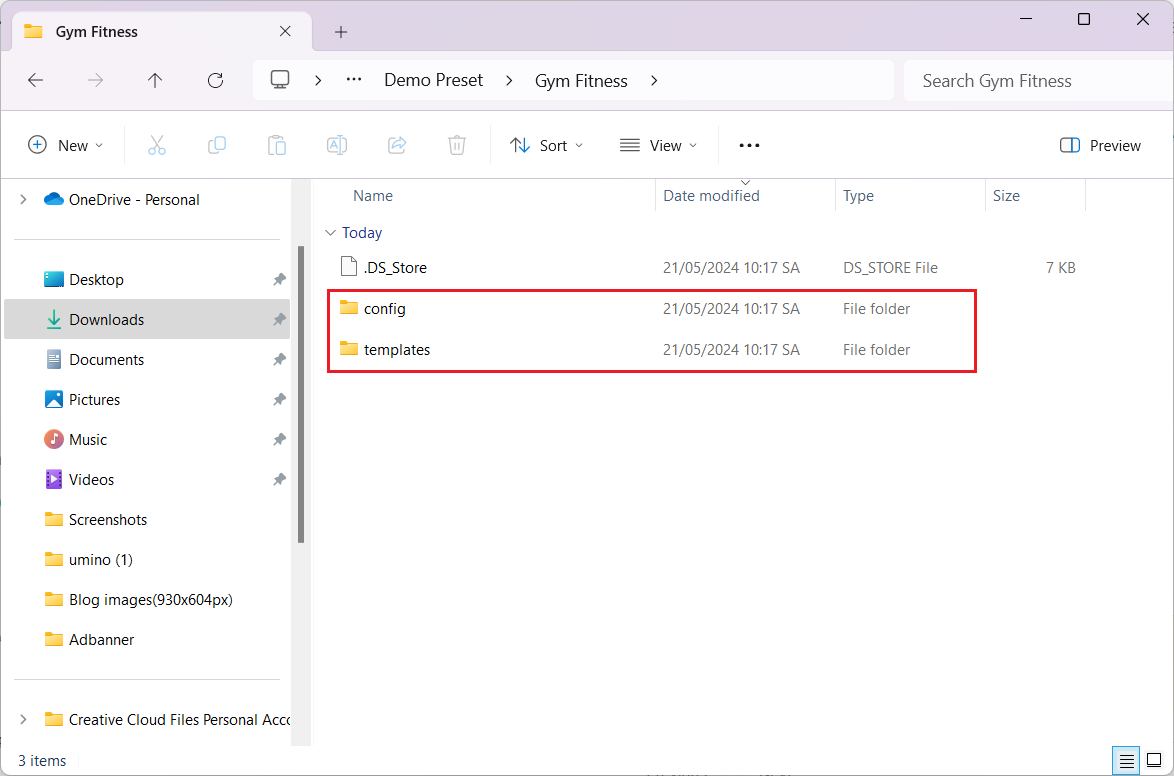
Step 1: Open the Umino packaging folder you downloaded that has the Demo Preset folder with all the templates for other homes
.png)
Step 2: Go to your admin shopify store, open the theme. Click Theme actions -> Edit code
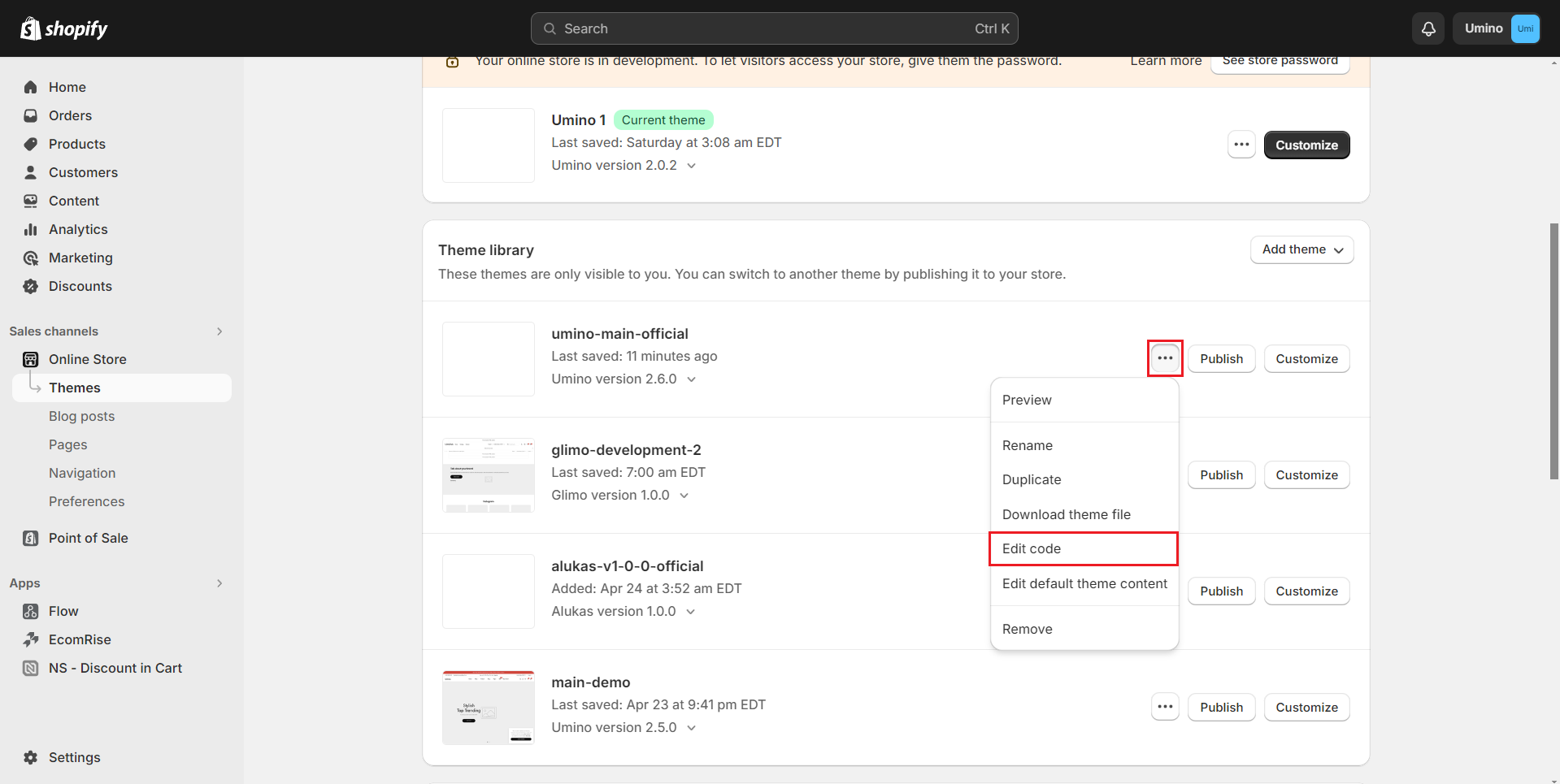
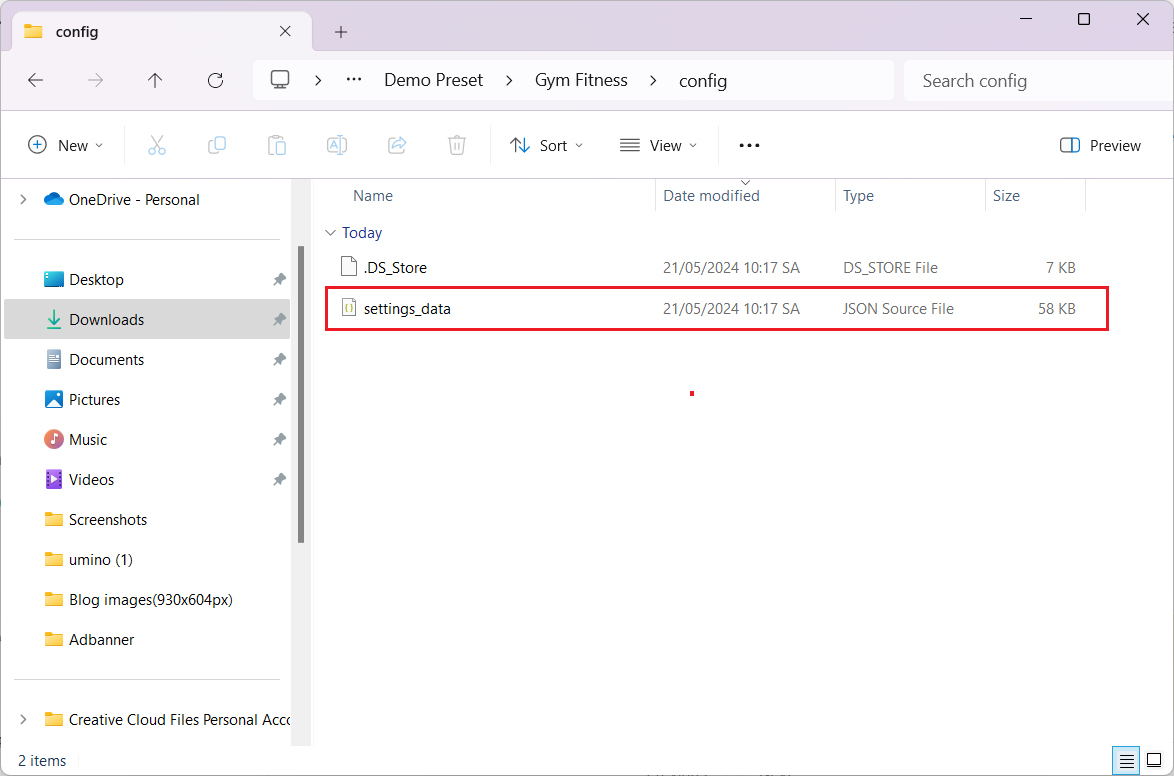
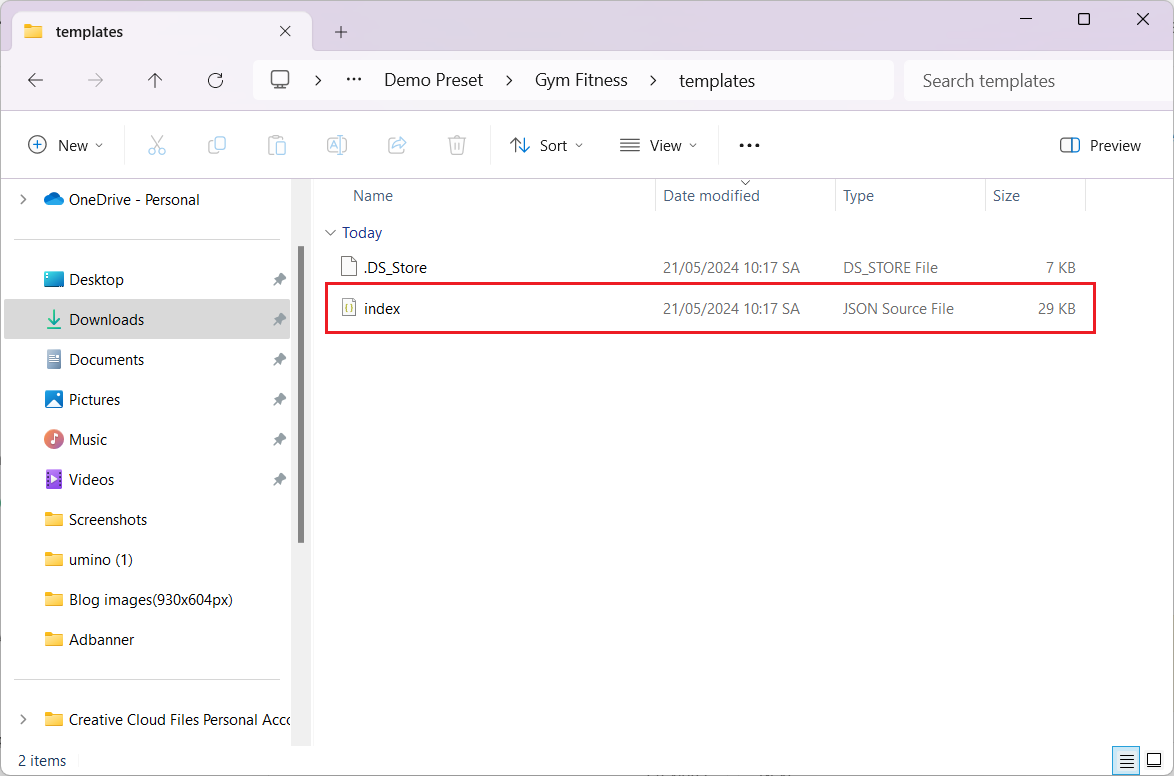
Step 3: You also need to copy all the .json in config , sections , templates folder. These are changed files and you will paste them to the theme.
This step will update the settings and data: homepage, header, footer and settings of the theme you choose.
No comments yet