

Color
You can define different color schemes in your theme settings and apply the color schemes to different sections throughout your online store with a color scheme picker. A color scheme is a set of colors. Your theme has a set of default color schemes applied that you can change at any time in the theme editor. You can add your brand colors to ensure a cohesive application of your color palette across your online store. Please follow this link for more clearly about Color Scheme: https://help.shopify.com/en/manual/online-store/themes/theme-structure/color-scheme
To customize color in our theme please follow the steps:
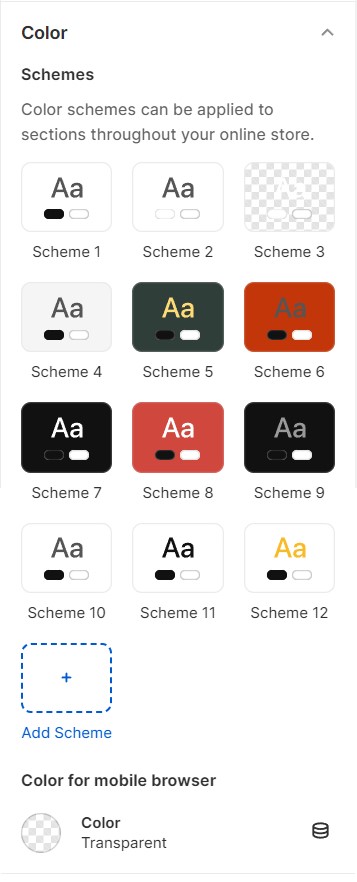
Please follow the document to change the colors on your store.
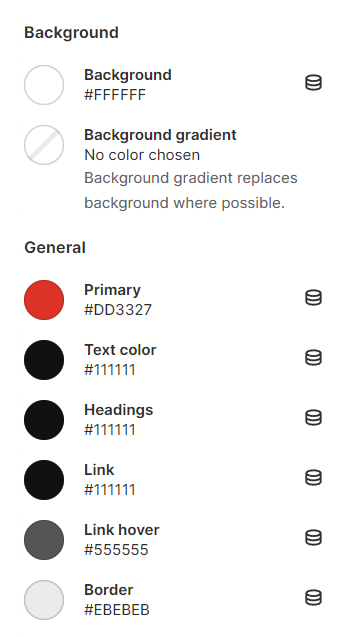
Site background: Your site background color
Primary: You can change the color when hover to Blog tilte, Add to cart button, Filter, Sortby,...
Text color: You can change the text color of your store.
Heading: You can change Heading of some sections like: Product form, Filter, Sidebar collection, Layout switch, ...
Link color: You can change color of the Links on your store.
Link color hover: You can change color when hover to the Links on your store.
Border color: Border color in your store.
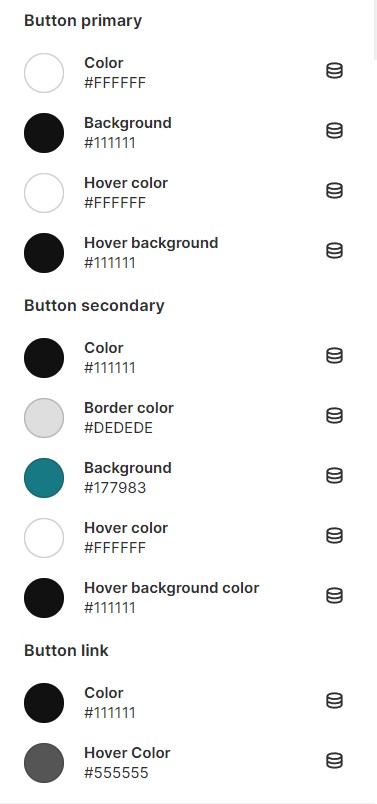
2.Button color
Change background and text color for all call-to-action buttons and button hover.
- Button primary: used for the most important or prominent action on your webpage (ex: "Submit" button on a form, "Buy Now" button on an e-commerce site, ...)
- Primary button: used for actions that are less important or serve as alternatives to the primary action (ex: a "Cancel" or "Reset" button in a form, ...)
No comments yet