

Install Umino

Written by ThuHuong_FE_NextSky
Last updated
Create your online store today with Shopify
Please make sure that you have extracted the theme package that you downloaded on Themeforest before uploading it to your store. Otherwise, you will get the issue: zip does not contain a valid theme: missing template "layout/theme.liquid".

1. Unzip Umino package
After download Umino theme from Themeforest.net, please extract this file by the following steps.
Step 1: Right click to the theme zip file you have just downloaded
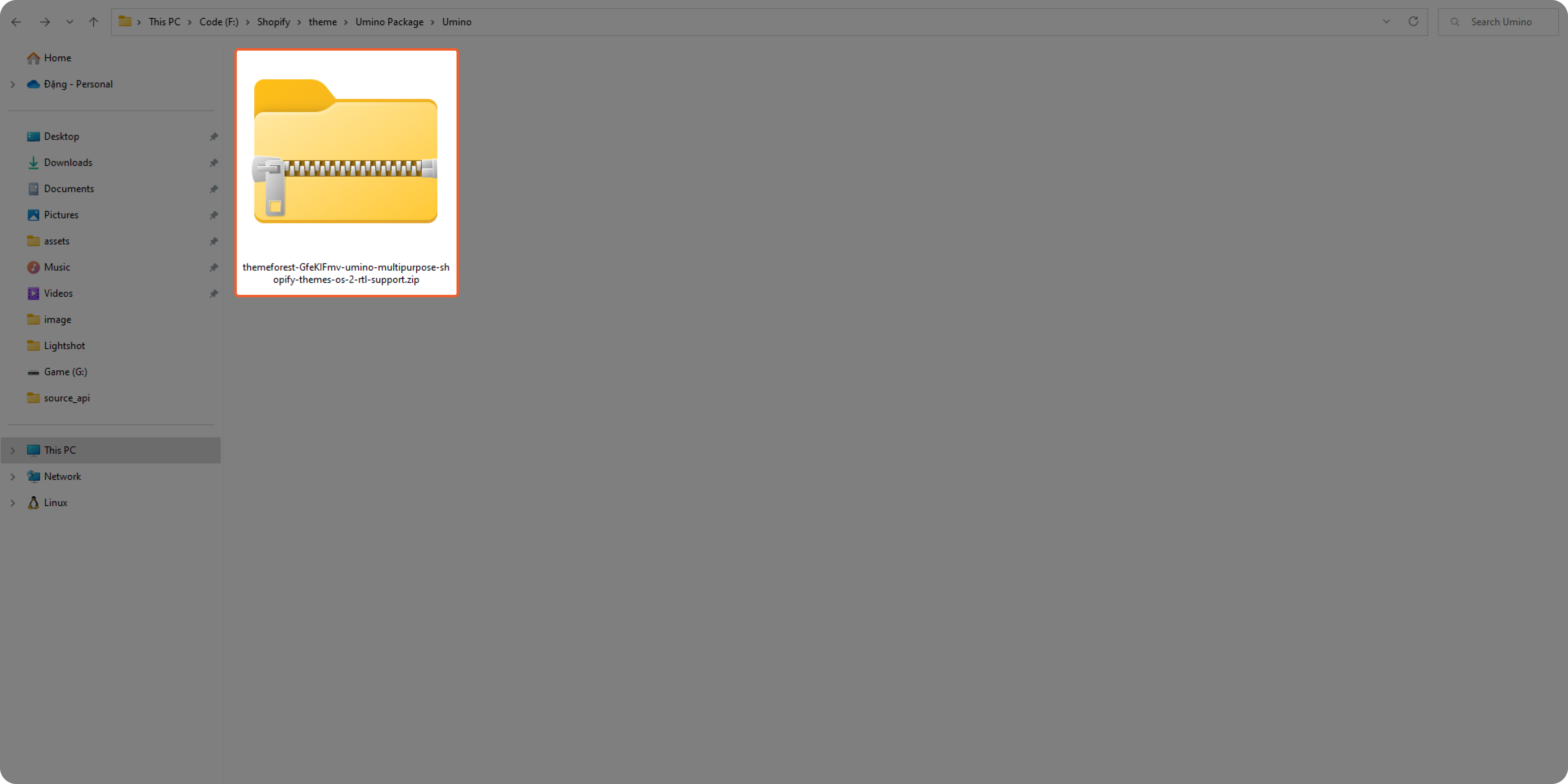.png)
Step 2: Unzip this file and open it
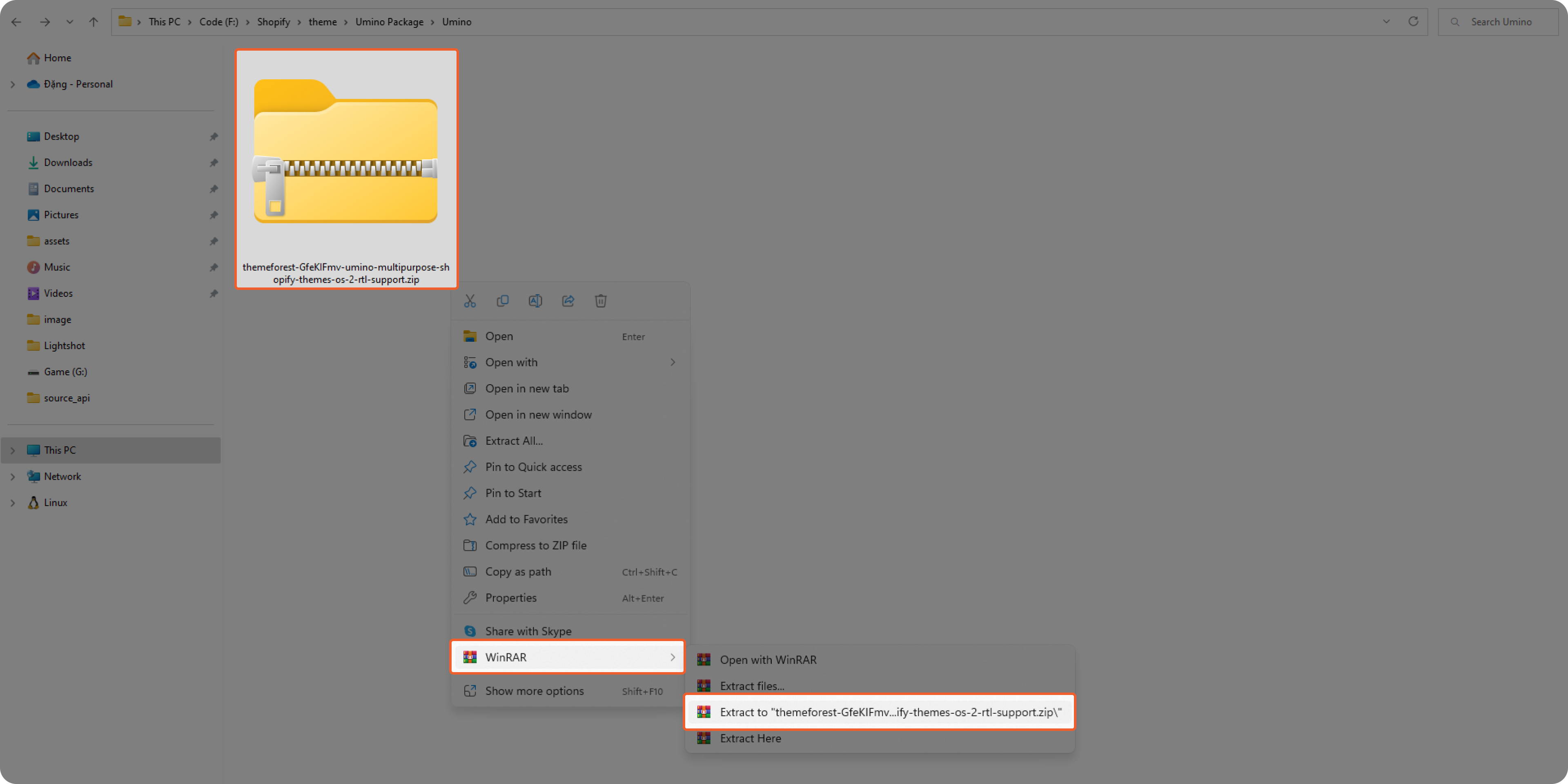.png)
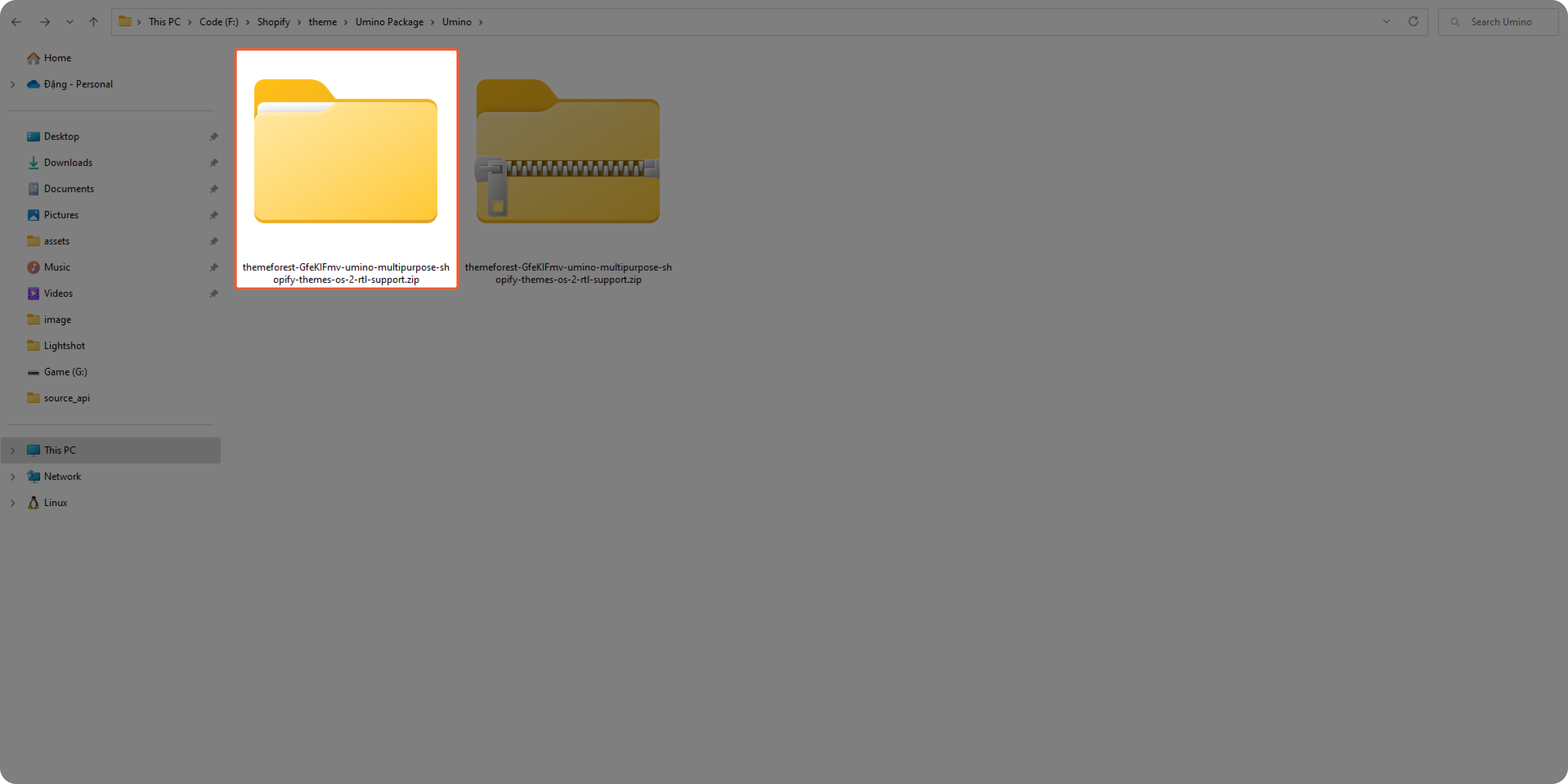.png)
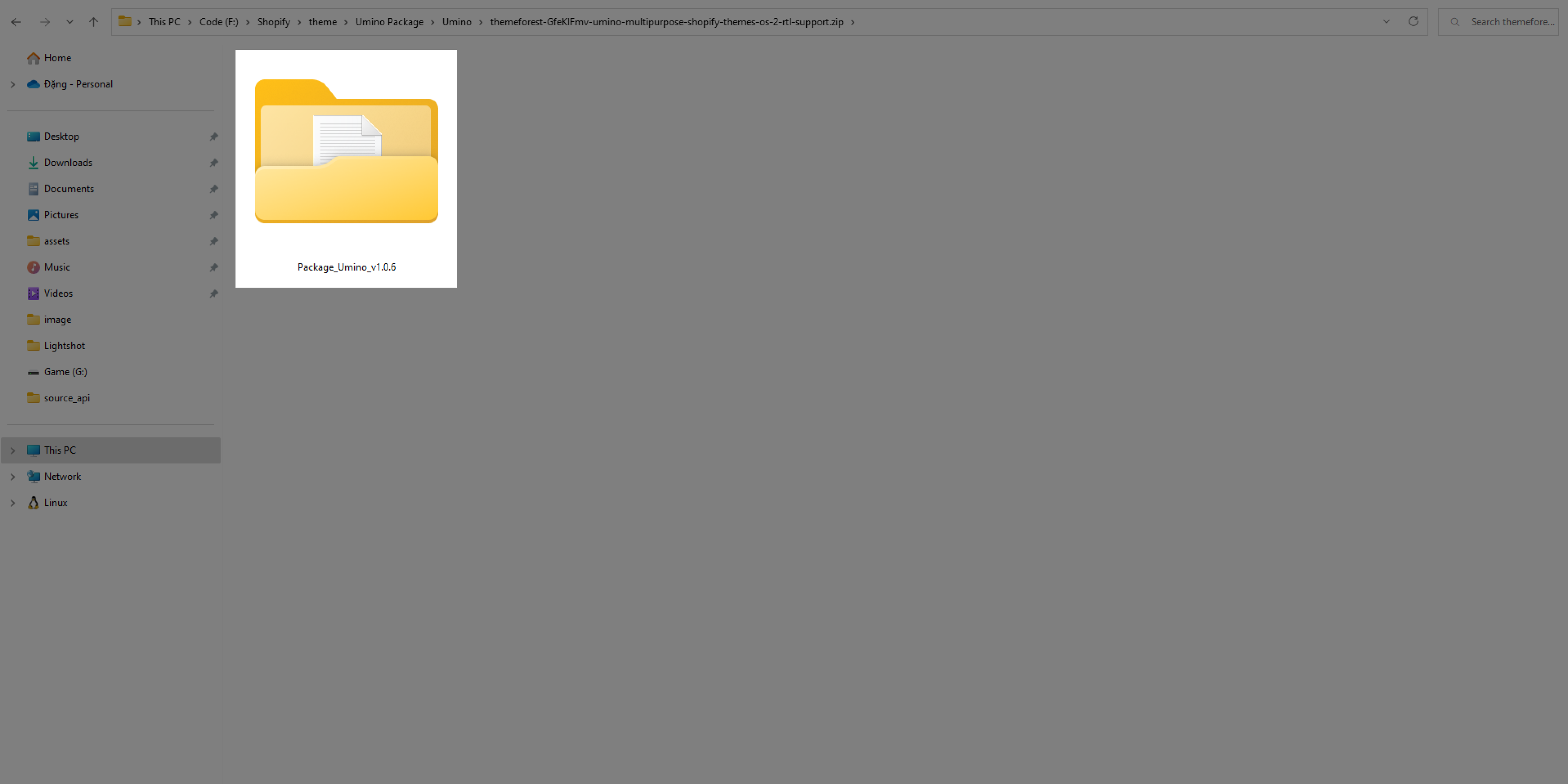.png)
Step 3: All the themes file need to be uploaded to Shopify store are stored on themes folder.


2. Install Umino to your store
Step 1: From your admin, click to Online store ==> Themes ==> Add theme ==> Upload zip file
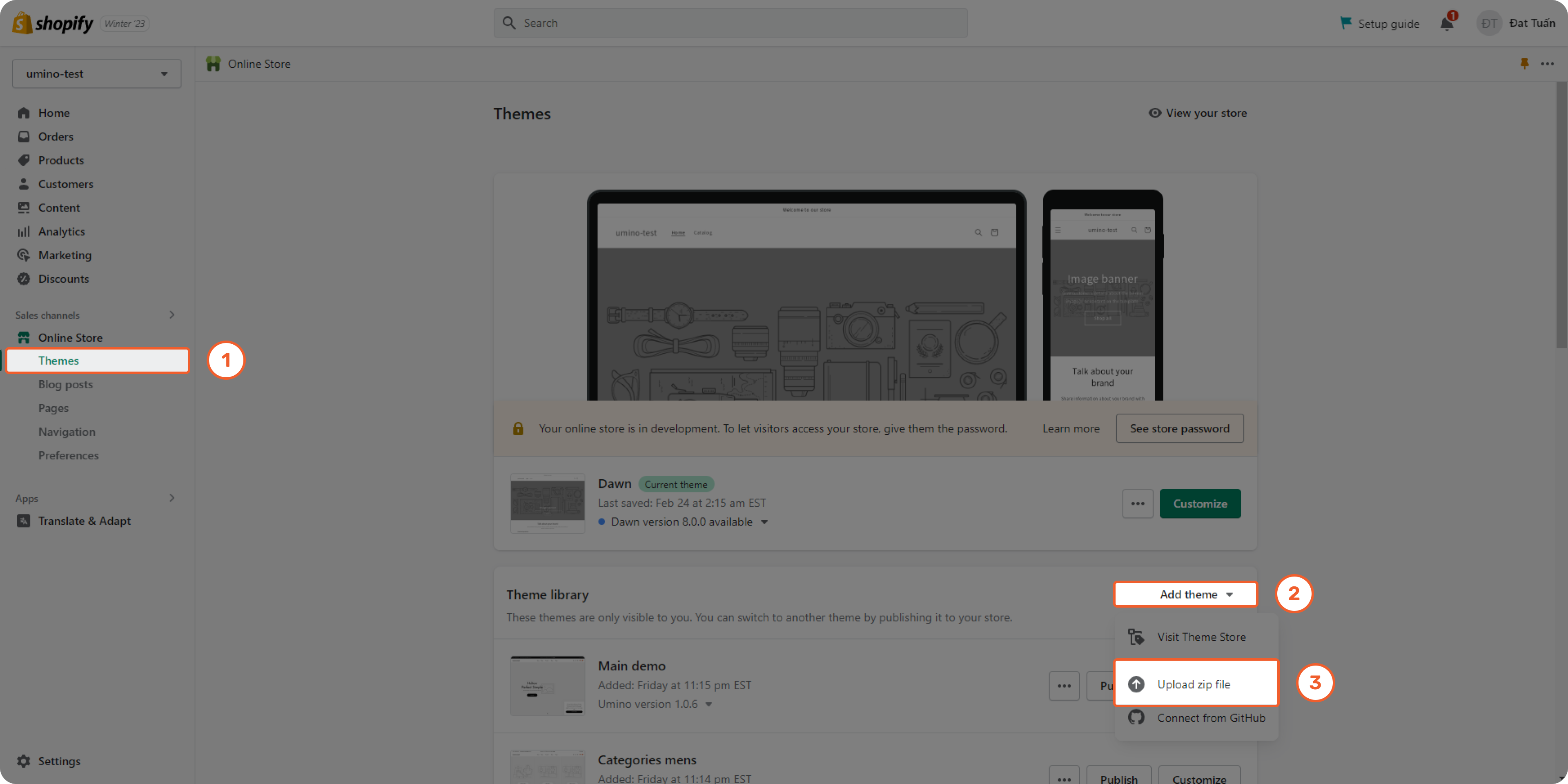.png)
Step 2: Click to Add file
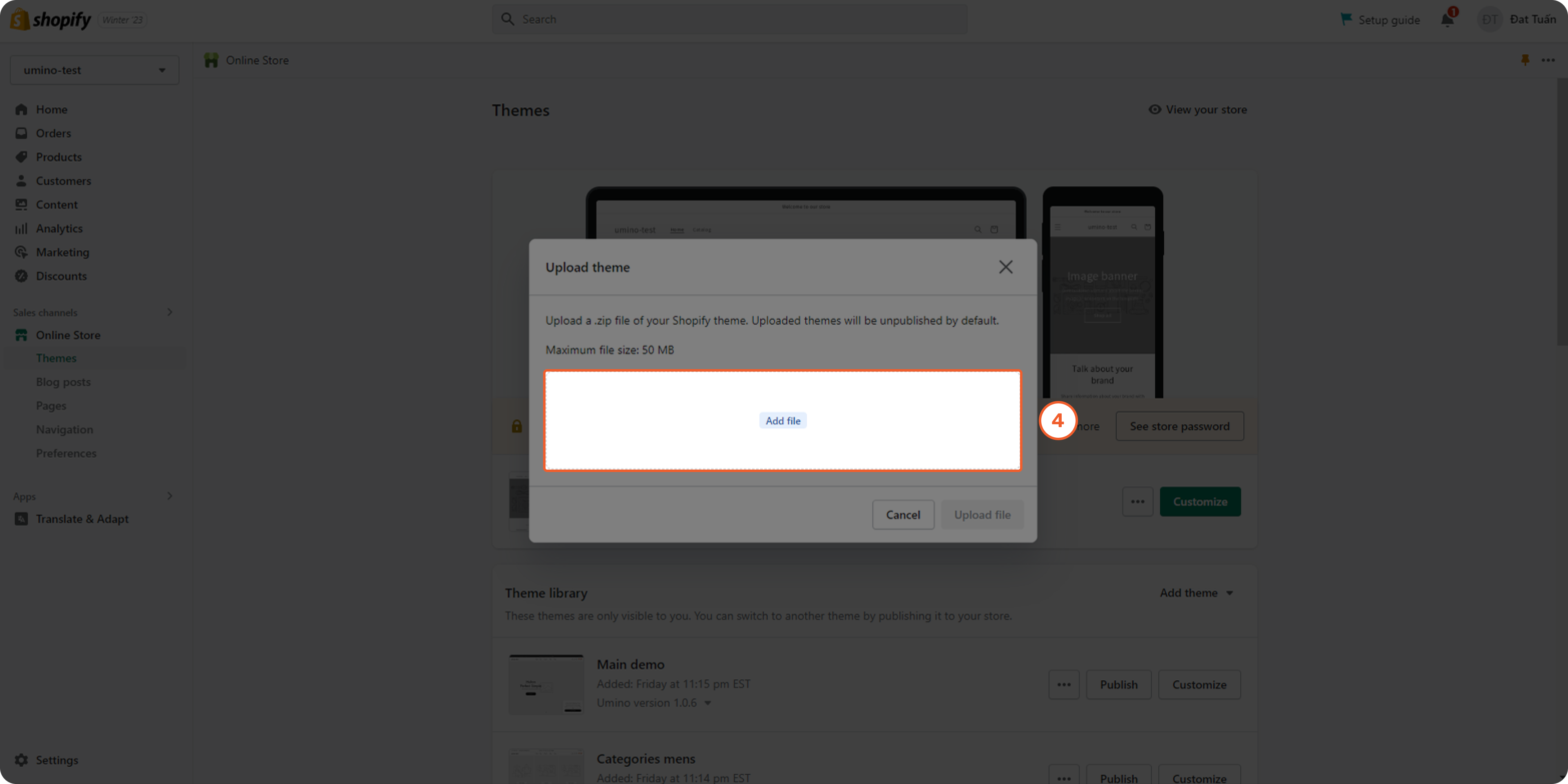.png)
Step 3: Select theme zip file and click to Upload file
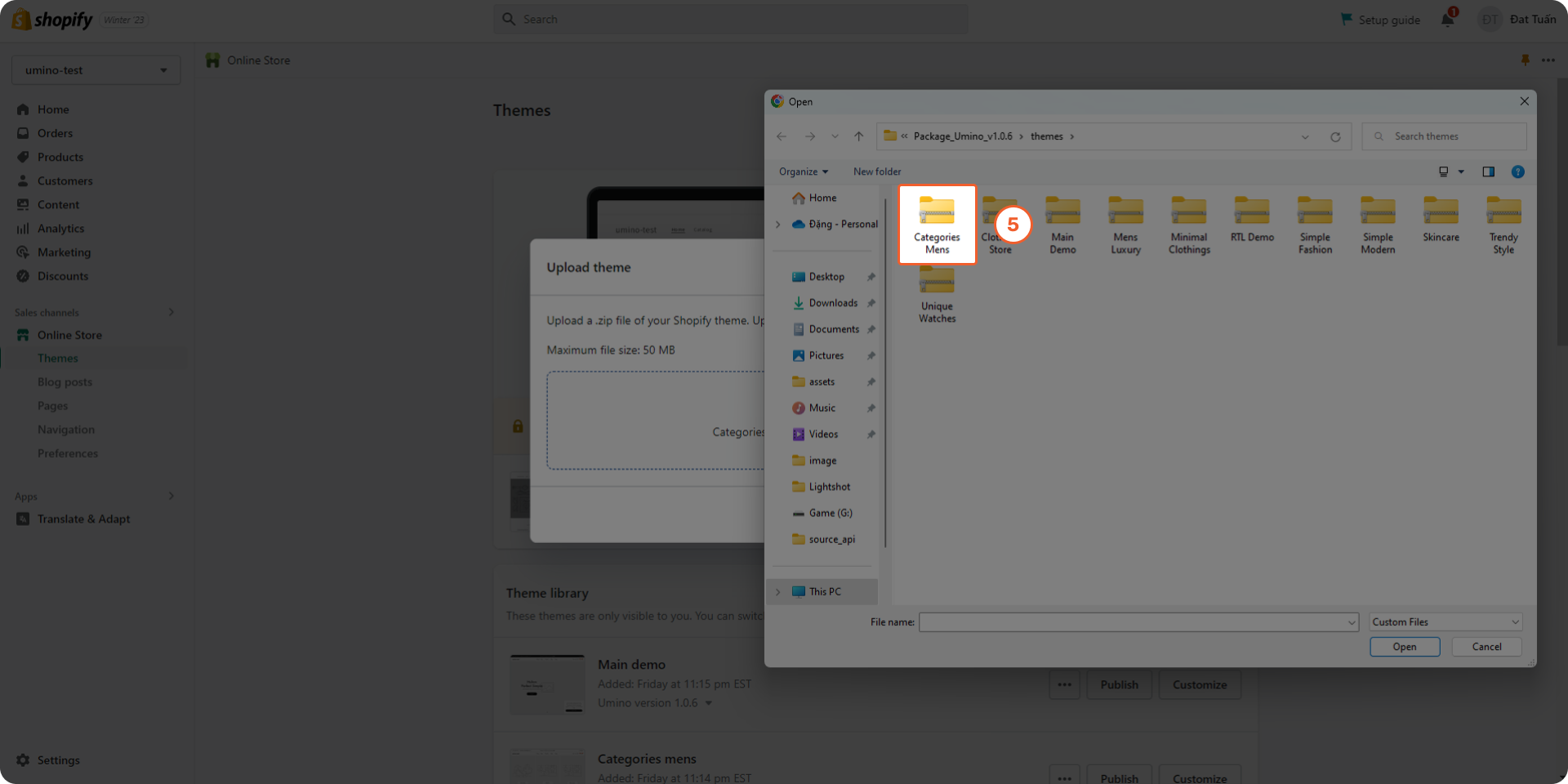.png)

According to Shopify, after installing Umino, you will get a theme with placeholder images. You can upload your own images to decorate your store base on Umino layout.
If you want to have Umino demo products, please follow this directions.
Note: There are some default pages and metafields that need to be imported. Please follow Import Pages and Import Metafields directions before using Umino theme.