

Theme block - Image with text
General settings
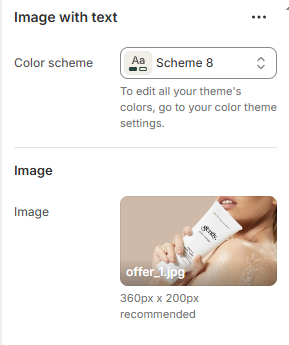
| Settings | Description |
|---|---|
| Color scheme | Select colors from Theme settings -> Colors |
| Image | Upload your desired image (360px x 200px recommended) |
Block settings
Heading, Subheading, Description

| Setting | Description |
|---|---|
| Heading, Subheading, Description | Custom title block |
| Width | 2 options for content's width: |
| Typography - Preset | Choose a preset style (font, size, weight) from Theme settings → Typography. |
| Background | Toggle ON to enable a background area behind the text. |
| Background color | Select the color for the text background. |
| Corner radius | Adjust the roundness of the background corners |
| Padding top/bottom | Adjust these values to control the amount of space between the section’s content and its outer edges. |
Button

| Setting | Description |
|---|---|
| Button label | Custom name button, if left empty, the button will be hidden |
| Button link | The link URL you want to add |
| Button type | The style of the button |
| Open link in new tab | Open the link in a new browser tab |
| Spacing bottom | Spacing between the button and the next component |
No comments yet