

Slideshow
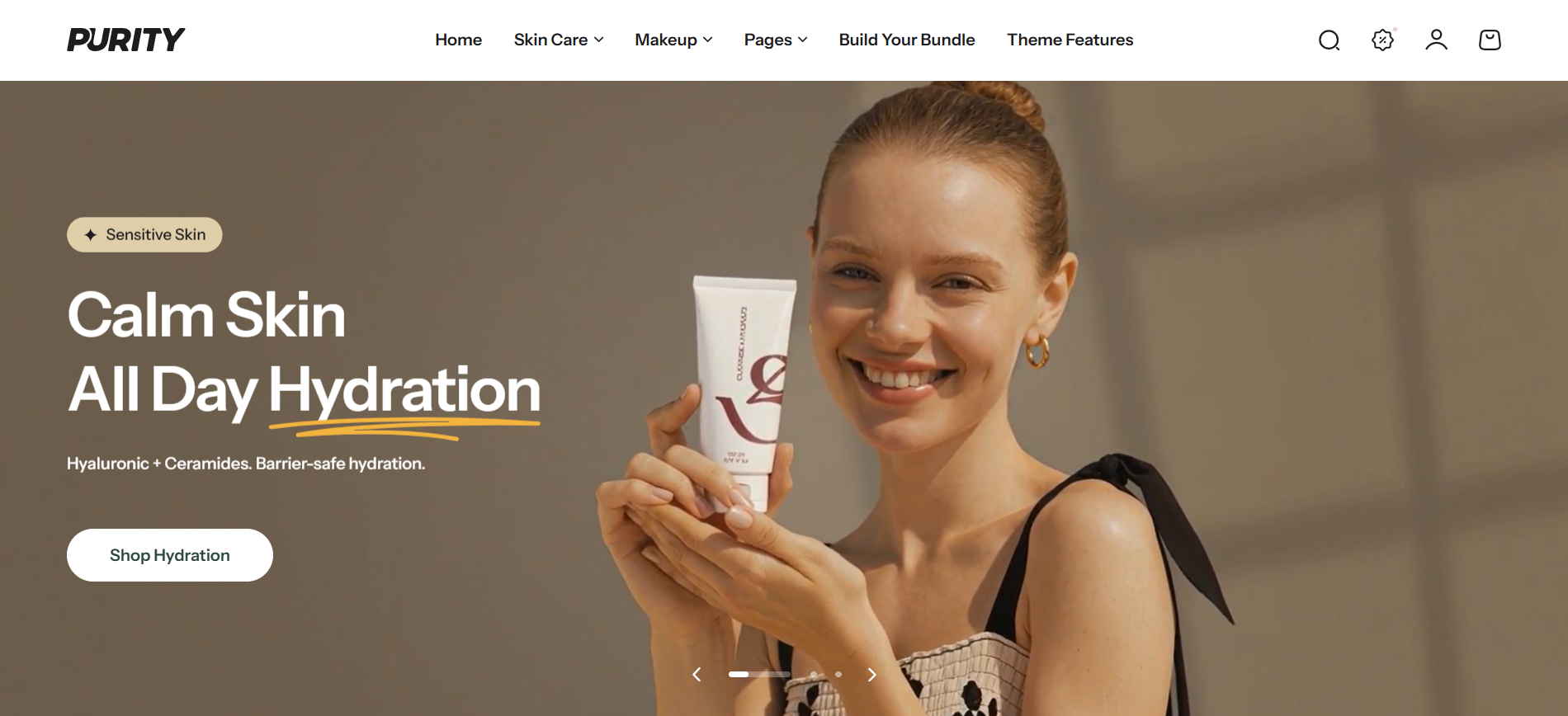
Section settings
General settings
| Setting | Description |
|---|---|
| Section width | 3 options for container |
| Slide height | Customize the height of the slider |
| Color scheme | Select colors from Theme settings -> Colors |
| Loading background | Set the background color displayed while the video is loading. This helps improve visual consistency before the video is fully rendered. |
Carousel settings
| Setting | Description |
|---|---|
| Show navigation | Display the next and back controls for the carousel |
| Show pagination | Display the pagination for the carousel |
| Auto-change slide | When enabled, the carousel will run automatically |
| Change slide every | The running period of the carousel |
Section padding
| Setting | Description |
|---|---|
| Top | Customize the top margin of the section |
| Bottom | Customize the bottom margin of the section |
Block setting
Image slide
| Setting | Description |
|---|---|
| Image | Select your desired images to display on desktop (1920px x 840px recommended) |
| Mobile image | Select your desired images to display on mobile (390px x 572px recommended) |
| Image overlay opacity | Adjust the visibility of the image |
| Highlight text, Subheading, Heading, Description | Custom title block |
| Select icon | Select icon for Highlight text |
| Background color | Background color for Highlight text |
| Text color | Text color for Highlight text |
| Heading size | The size of heading content |
| Enable heading underline animation | Enable heading underline animation |
| Underline style | Select underline style |
| Underline color | Custom Underline color |
| Button label | Customize button name, or leave it empty to hide the button |
| Button link | The link URL you want to add |
| Type | The style of the button |
| Desktop content position | Adjust the content position on desktop |
| Content alignment | 3 options for the content alignment |
| Mobile layout/Content position | 3 options for the Content position |
| Mobile layout/Content alignment | 3 options for the content alignment |
Video slide
| Setting | Description |
|---|---|
| Video | Select your desired videos to display on desktop (1920px x 840px recommended) |
| Video mobile | Select your desired videos to display on mobile (390px x 572px recommended) |
| Video overlay opacity | Adjust the visibility of the image |
| Highlight text, Subheading, Heading, Description | Custom title block |
| Select icon | Select icon for Highlight text |
| Background color | Background color for Highlight text |
| Text color | Text color for Highlight text |
| Heading size | The size of heading content |
| Enable heading underline animation | Enable heading underline animation |
| Underline style | Select underline style |
| Underline color | Custom Underline color |
| Button label | Customize button name, or leave it empty to hide the button |
| Button link | The link URL you want to add |
| Type | The style of the button |
| Desktop content position | Adjust the content position on desktop |
| Content alignment | 3 options for the content alignment |
| Mobile layout/Content position | 3 options for the Content position |
| Mobile layout/Content alignment | 3 options for the content alignment |
No comments yet