

Key features
Step Create Metaobjects
- Login to your Shopify store, click to Settings
- Click to Custom data --> Metaobjects and Click Add definition
- Add metaobject definition with 2 fields as bellow:
- Name: Key Features
- Field 1:
* Name: Title
* Type: Single line text - One value
- Field 2:
* Name: Description
* Type: Multi-line text

Step Create Metafields
- Back to Custom data -> Metafields -> Products
- Add a metafield as bellow:
- Name: Key Features
- Type: Metaobject - List of entries
- Reference: Key Features
- Namespace and key: custom.key_features
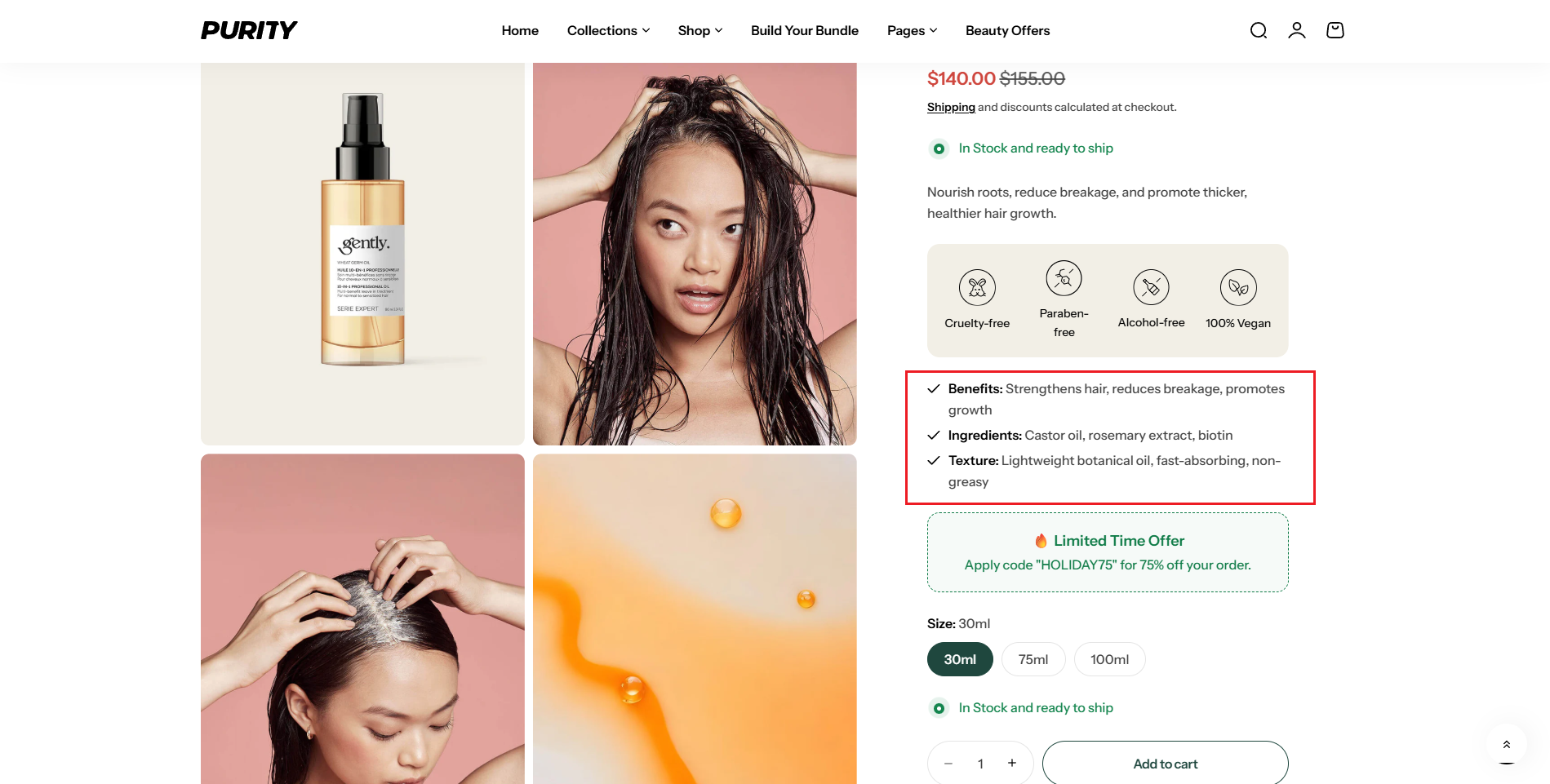
- Setup metafield for a product and you can see the result.

In product:
- Add and select new entries:


Result:
Choosing the metafield (version 1.3.0)
The Key features block reads this content through its Key features metafield setting. The default key is custom.key_features.
- Keep the default key above and it works with no extra setup.
- Or rename it: create the metafield under your own
namespace.key(for example, your brand name), then set Key features metafield to match. - Reuse on one page: create one metafield per copy (for example
custom.key_featuresandcustom.key_features_2) and point each Key features metafield at its own key to show different content.
See How to setup Metafield in version 1.3.0? for details.
No comments yet