- Video
- Slideshow
- Instagram shop
- Banner image
- Banner with text
- Blog posts
- Collection list
- Collection packery
- Custom content
- Collection Link
- Scrolling text
- Divider
- Faq
- Gallery
- Google map
- Image box
- Lookbook
- Product single
- Products carousel
- Collection tab
- Custom HTML
- Products deal
- Products grid
- Products list
- Products list carousel
- Products recently viewed
- Testimonials
- Tiktok video
- Shop the Look
- Spacing
- Age verifier popup
- Animation
- Counter
- Shopable video
Newsletter

Written by ThuHuong_FE_NextSky
Last updated
A guild to set up newsletter to collect email addresses from your customers
Create your online store today with Shopify
Newsletters are one of the most powerful digital marketing tools at your disposal since they let you communicate directly with your customers in a personalized way when they subscribed.

Steps
In the theme editor (Customize), click Add section
Locate Newsletter
Save
There are 2 displayed forms
Horizontal
Vertical

1. Layout & content
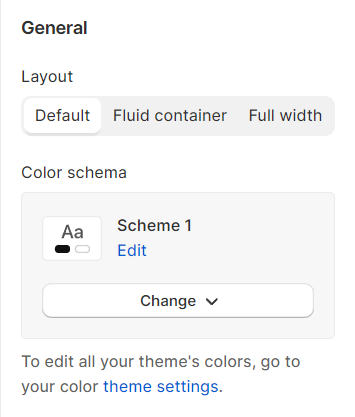
Layout: You can choose between Container, Wrapped container, Full width for the banner layout.
Color schema: You are allowed to change text color, background color with preset color.
2. Button and placeholder
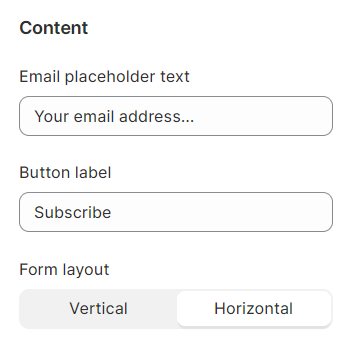
You can decide on the placeholder text and button label for the newsletter section. Additionally, choose the layout for the newsletter section with the specified Form layout.
Any customers who sign up will have an account created for them in Shopify Admin..
3. Section padding
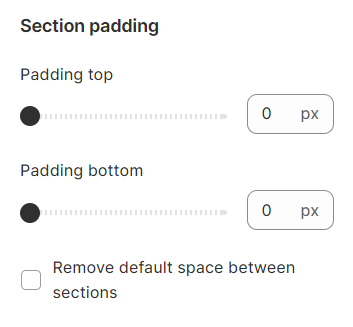
Section padding allows you to specify the space between the slideshow and the preceding or following sections, or both.