

Help chat

Written by ThuHuong_FE_NextSky
Last updated
Help chat is a convenient way for you to chat directly with your customers.
Create your online store today with Shopify
Bellow, we guide how to use setup crisp chat to your store. You can use other app chat like: live chat, chaport jivo chat,...
Setup help chat.
Bellow, we guide you how to use Crisp chat with Umino.
Steps
First, you need to create an account in: https://crisp.chat/
Secondary, you have to copy the code to install chat. Please follow these steps for more information.
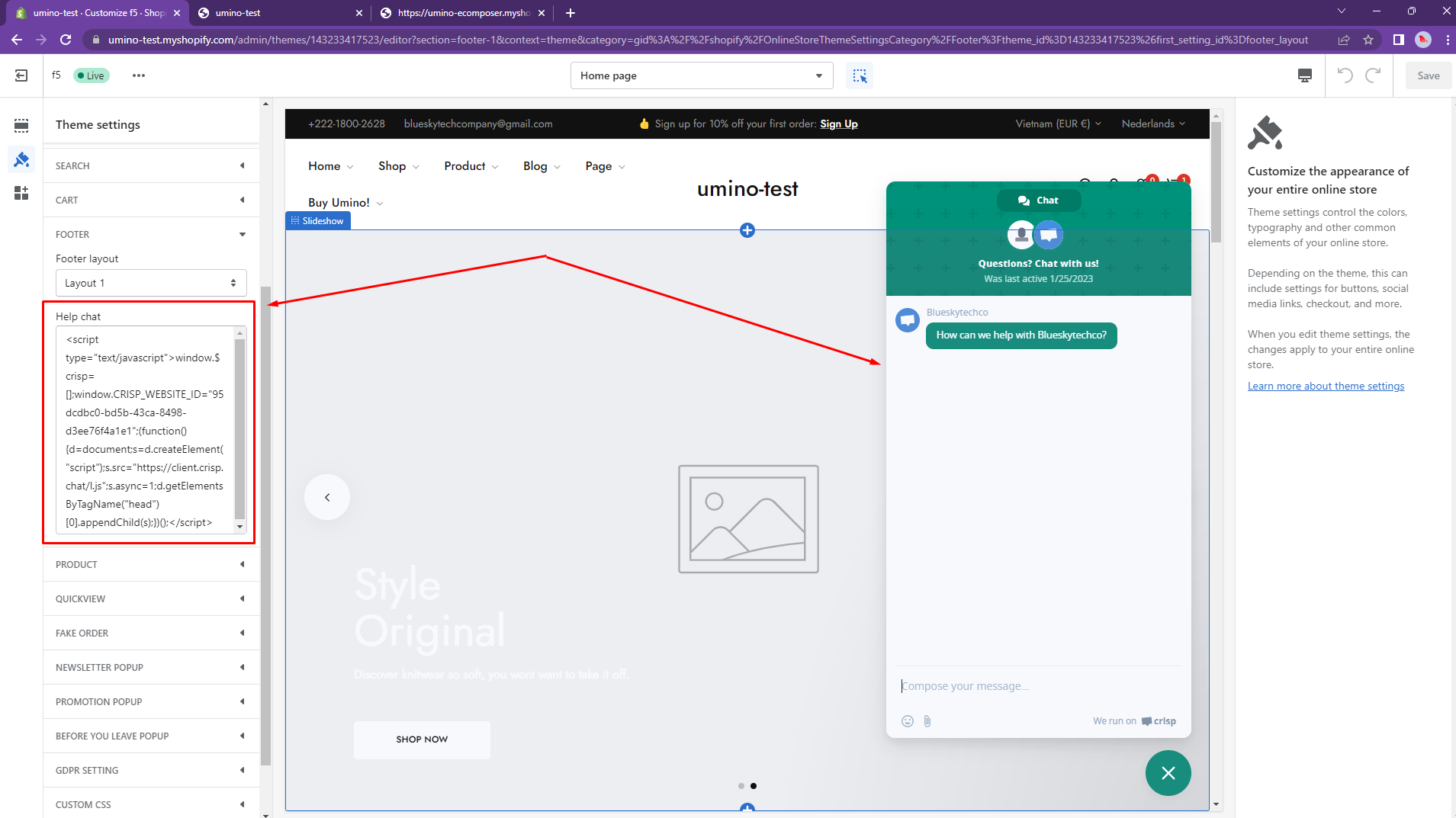
In the theme editor (Customize), click Theme settings
Locate Footer
Paste script of live chat then click Save

Remove help chat.
To remove help chat, please follow these steps:
Step:
From your Shopify admin, go to Online Store -> Themes -> Customize
Open Theme setting -> Footer
Leave the box Help Chat empty
Click Save