- Edit Product Page
- Breadcrumb
- Product Sidebar
- Left Sidebar
- Right sidebar
- Drawer sidebar
- Product Thumbnails Position
- Thumbnails Left
- Thumbnails Right
- Thumbnails bottom
- No Thumbnails
- Grid 1 column
- Grid 2 column
- Inner zoom 1
- Inner zoom 2
- External zoom
- Product summary
- General Option
- Product title
- Short description
- Product Review and Sold
- Product price
- Visitors counter
- Product custom field
- Custom HTML
- Product meta
- Trust badge
- Delivery and Return and Pickup availability
- Product form
- Stock countdown
- Product addons
- Size chart
- Show compare color
- Show Ask a Question
- Show share
- Product swatch
- Product label
- Custom TEXT
- Guarantee safe checkout
- Custom liquid
- More Products Color
- Countdown timer
- Product vendor logo
- Tab Review
- Tab Custom
- Setup Frequently Bought Together
- Variant Image Grouped
- Setup Stock notification form
- Setup Product group
- Products recently viewed
- Product recommendations
- Product information tabs
- Tab Description
- Product Description
- Layout 3
- Layout 2
- Layout 1
Subscriptions

Written by ThuHuong_FE_NextSky
Last updated
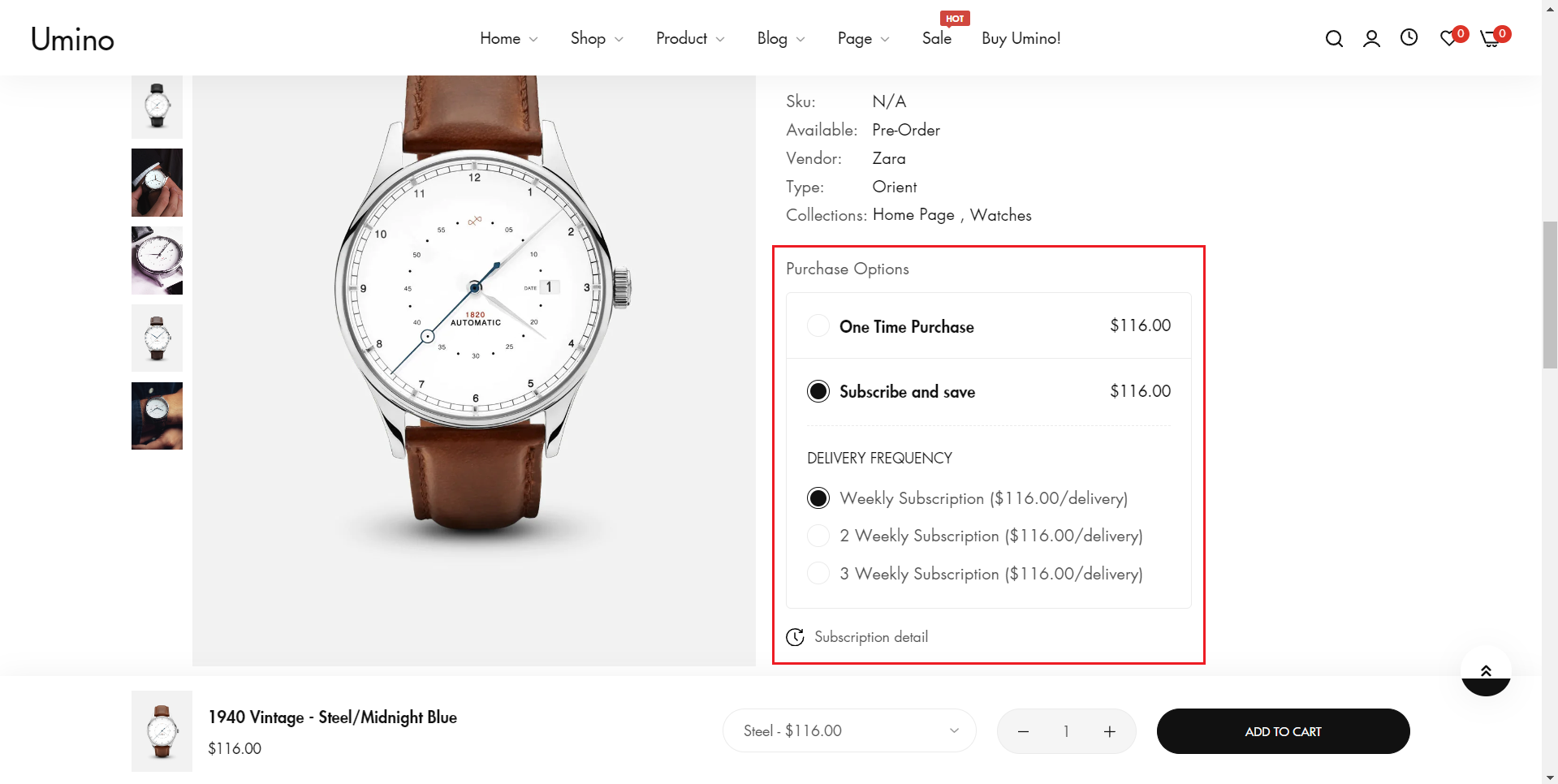
Subscriptions feature allows you to offer recurring orders and payments, ensuring customer loyalty and consistent revenue.
You need to install Subscriptions app and activate payment methods for your shop before being able to add subscriptions.
1. Set up Subscription
Step:
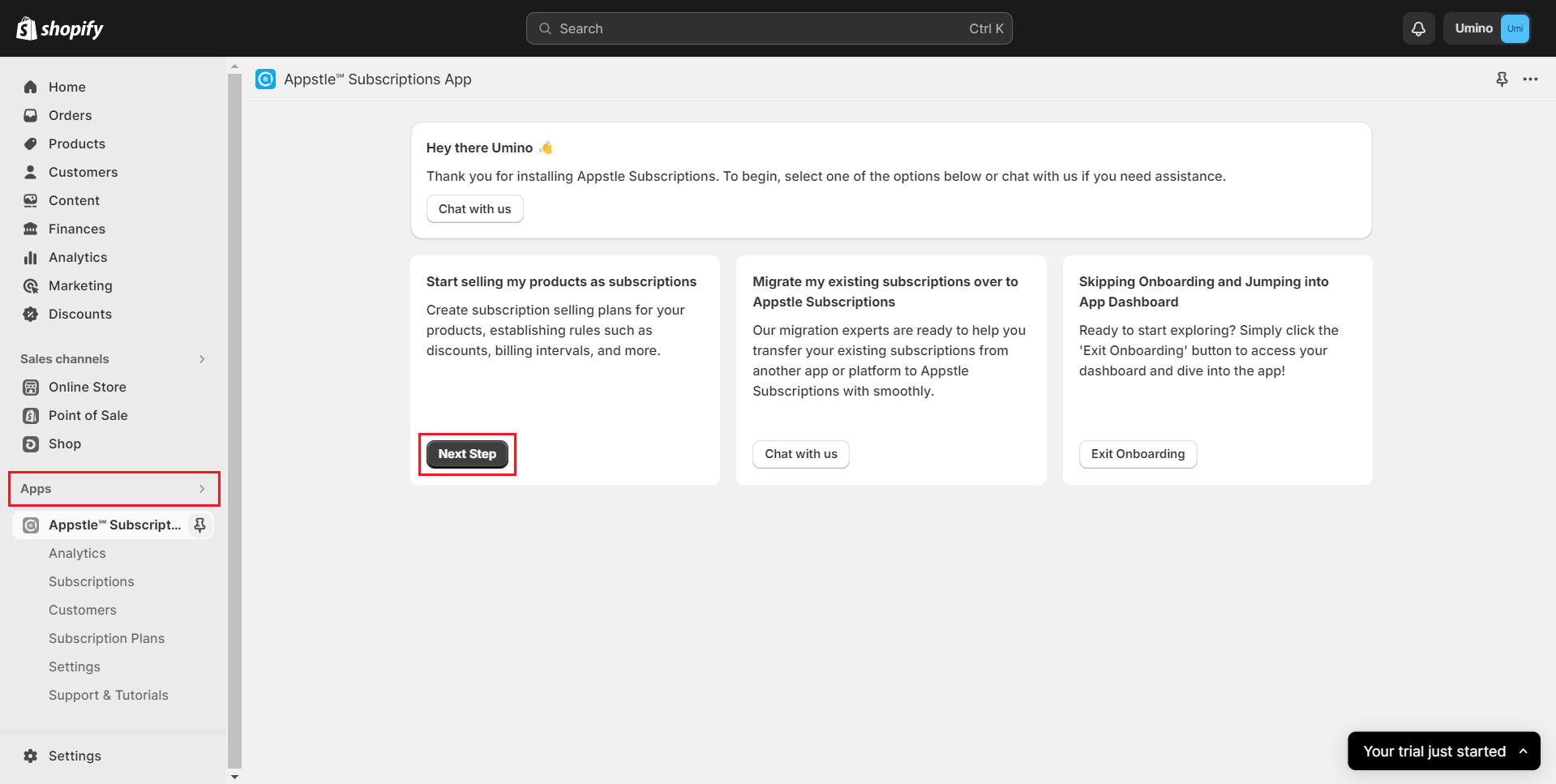
Go to your Shopify Admin and click on "Apps" and open the "Subscriptions app".
Select "Next Step" to proceed.
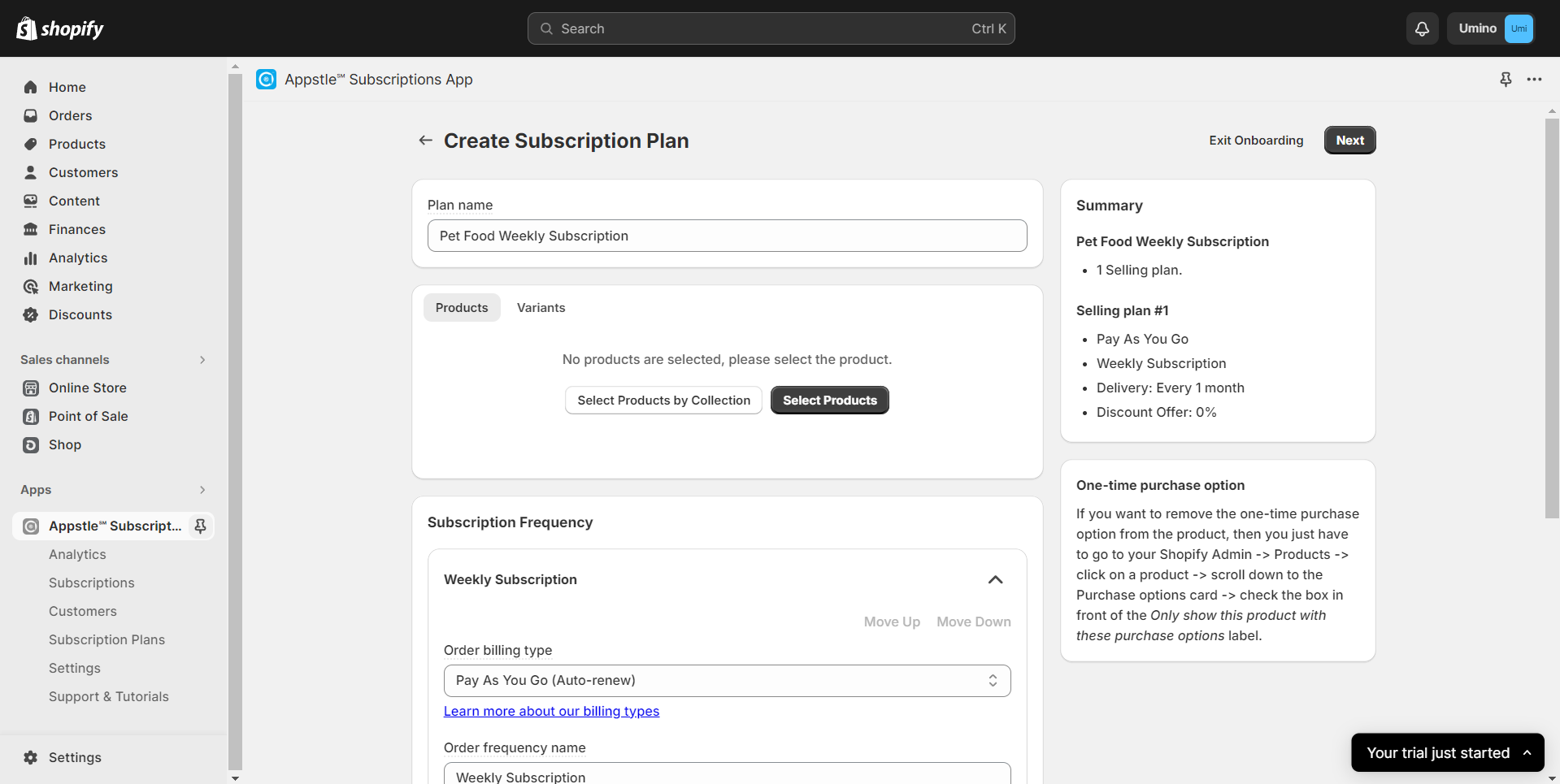
Customize the subscription plan according to your preferences.
Click "Next" to save the plan.
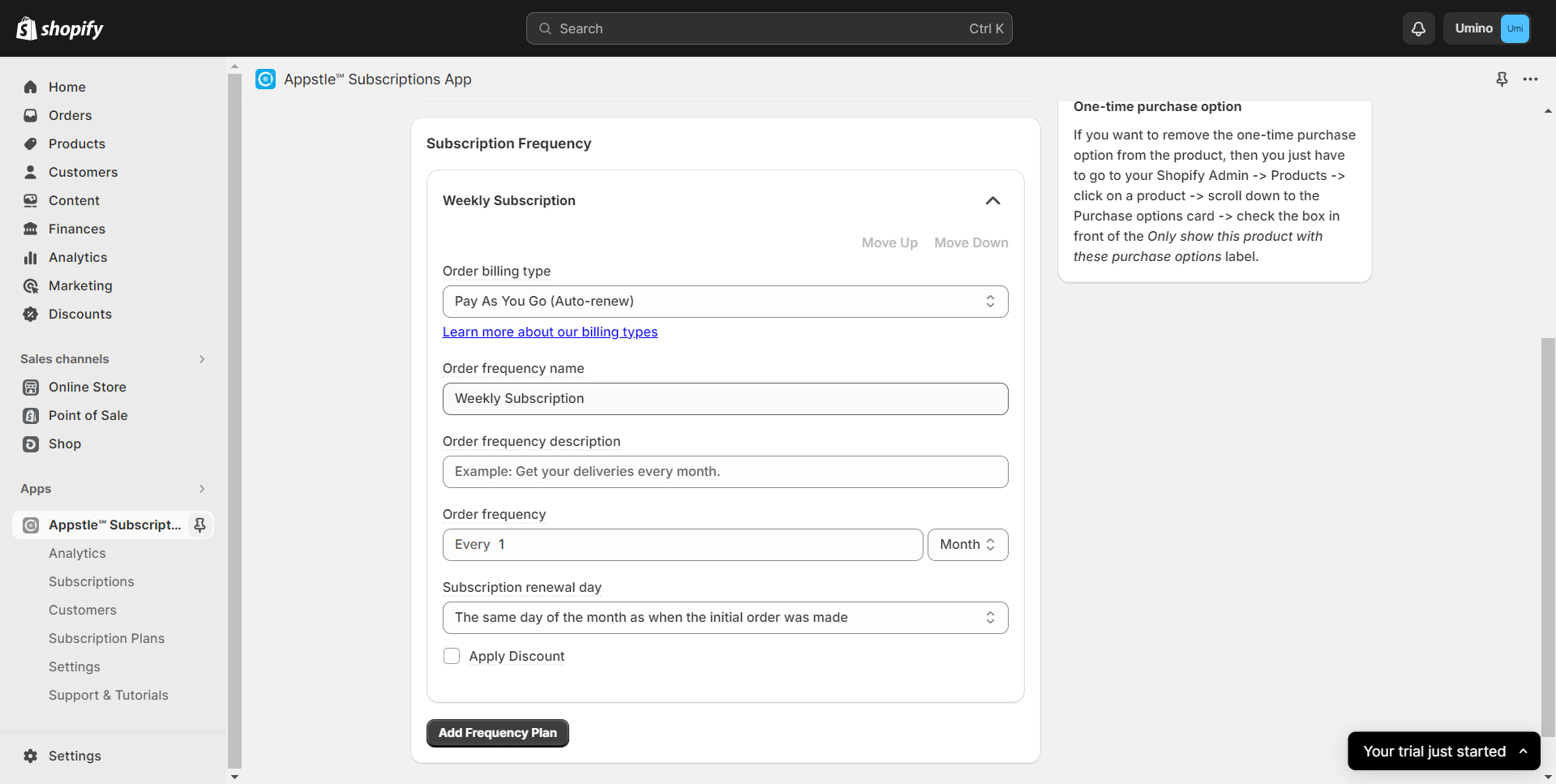
"Start selling!"
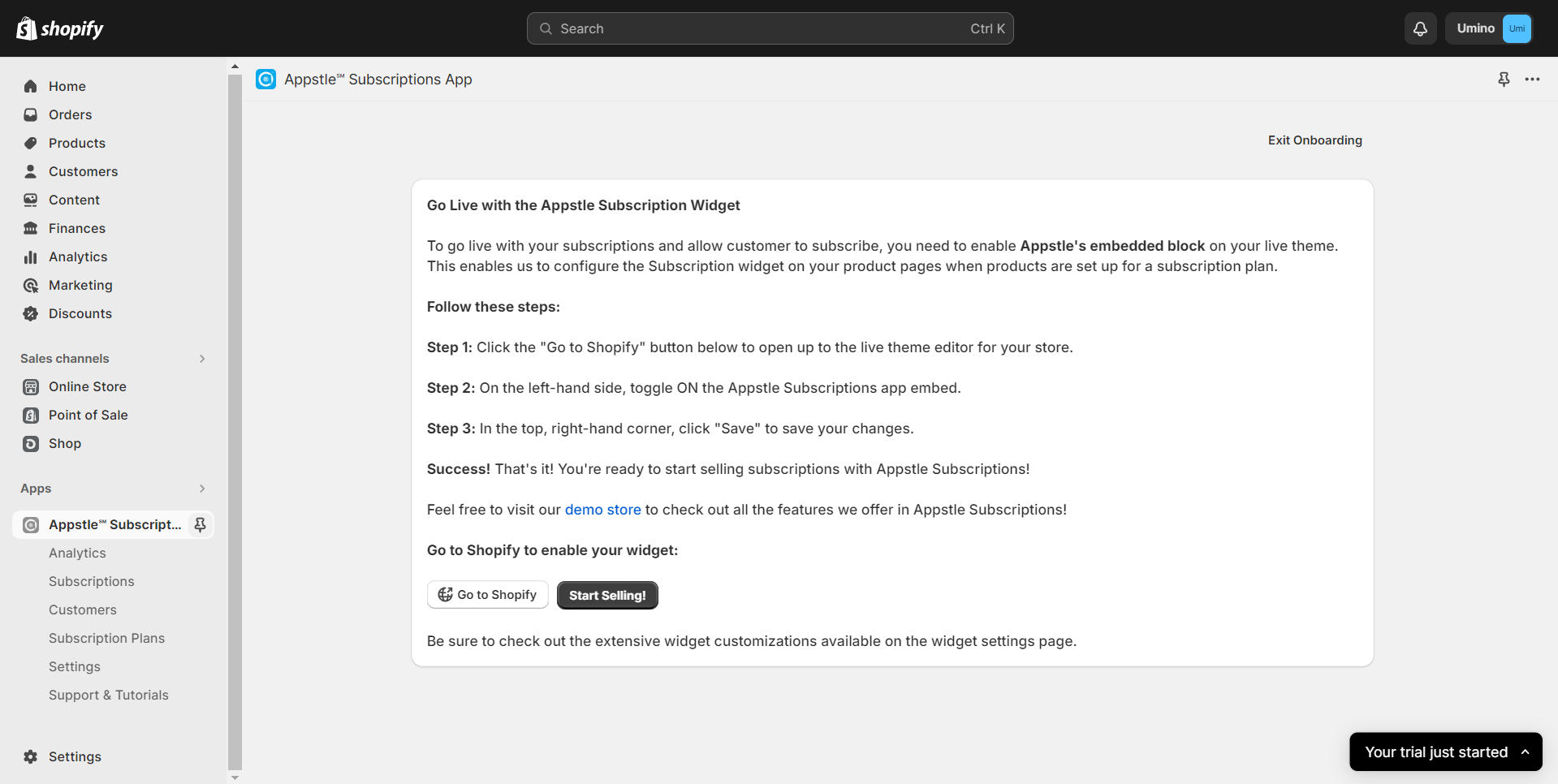
2. Enable Subscription on products
Steps
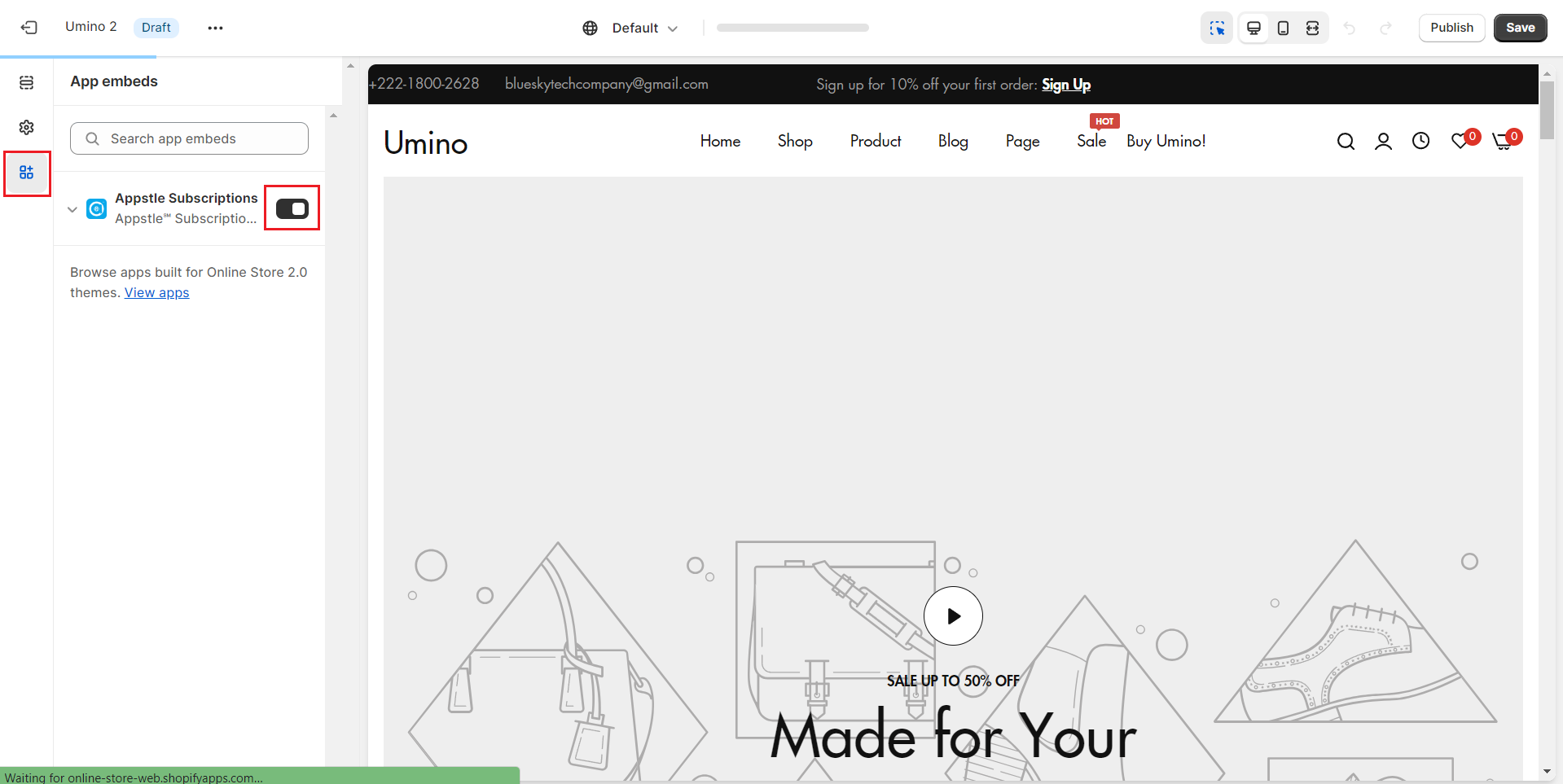
In the theme editor Customize, click App embeds
Enable Subscriptions App
Save
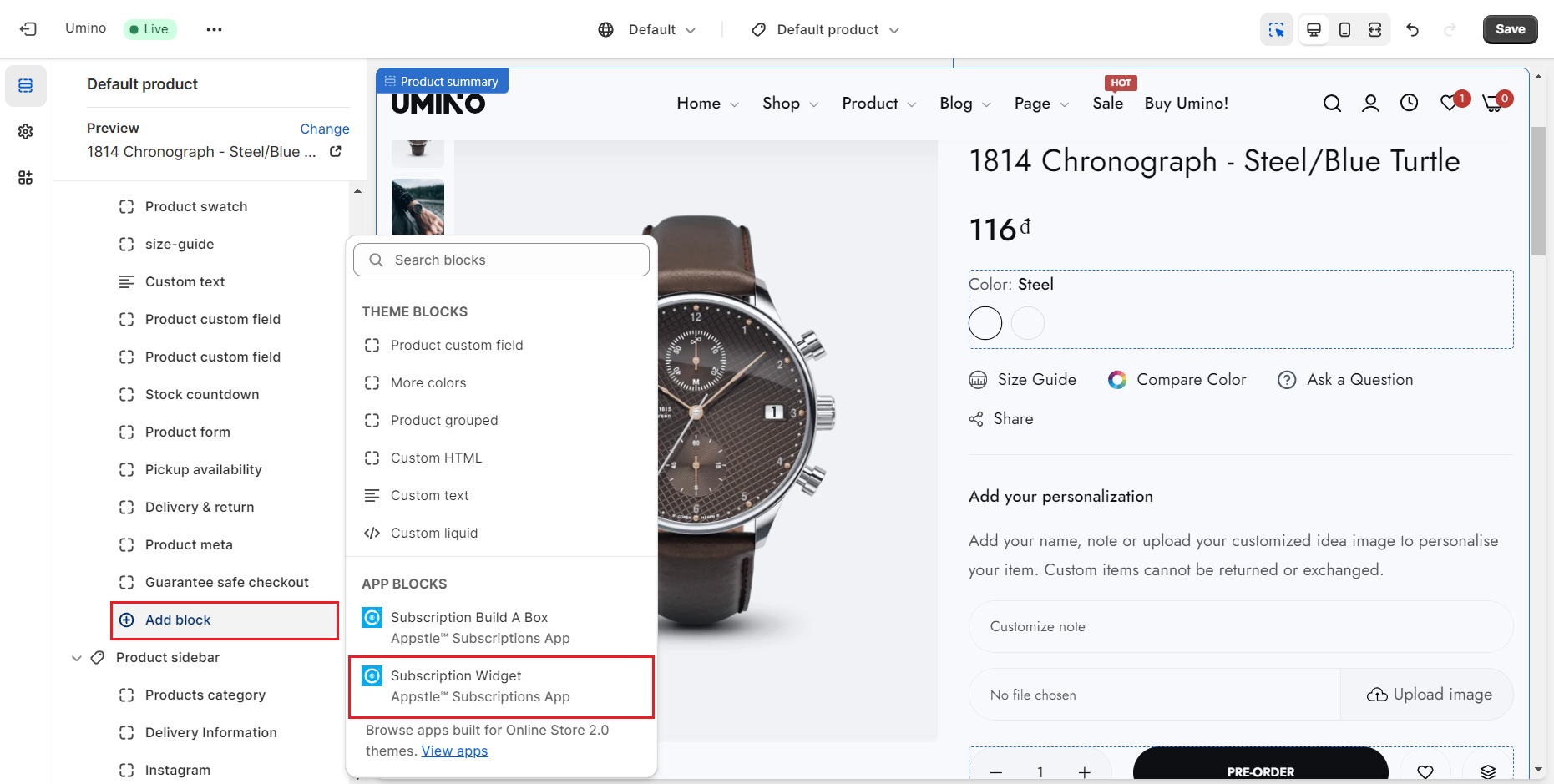
Find and place the Subscription Widget within the Product Summary section.
Save the change to complete the setup.