- Edit Product Page
- Breadcrumb
- Product Sidebar
- Left Sidebar
- Right sidebar
- Drawer sidebar
- Product Thumbnails Position
- Thumbnails Left
- Thumbnails Right
- Thumbnails bottom
- No Thumbnails
- Grid 1 column
- Grid 2 column
- Inner zoom 1
- Inner zoom 2
- External zoom
- Product summary
- General Option
- Product title
- Short description
- Product Review and Sold
- Product price
- Visitors counter
- Product custom field
- Custom HTML
- Product meta
- Trust badge
- Delivery and Return and Pickup availability
- Product form
- Stock countdown
- Product addons
- Size chart
- Show compare color
- Show Ask a Question
- Show share
- Product swatch
- Product label
- Custom TEXT
- Guarantee safe checkout
- Custom liquid
- More Products Color
- Countdown timer
- Product vendor logo
- Subscriptions
- Tab Review
- Tab Custom
- Variant Image Grouped
- Setup Stock notification form
- Setup Product group
- Products recently viewed
- Product recommendations
- Product information tabs
- Tab Description
- Product Description
- Layout 3
- Layout 2
- Layout 1
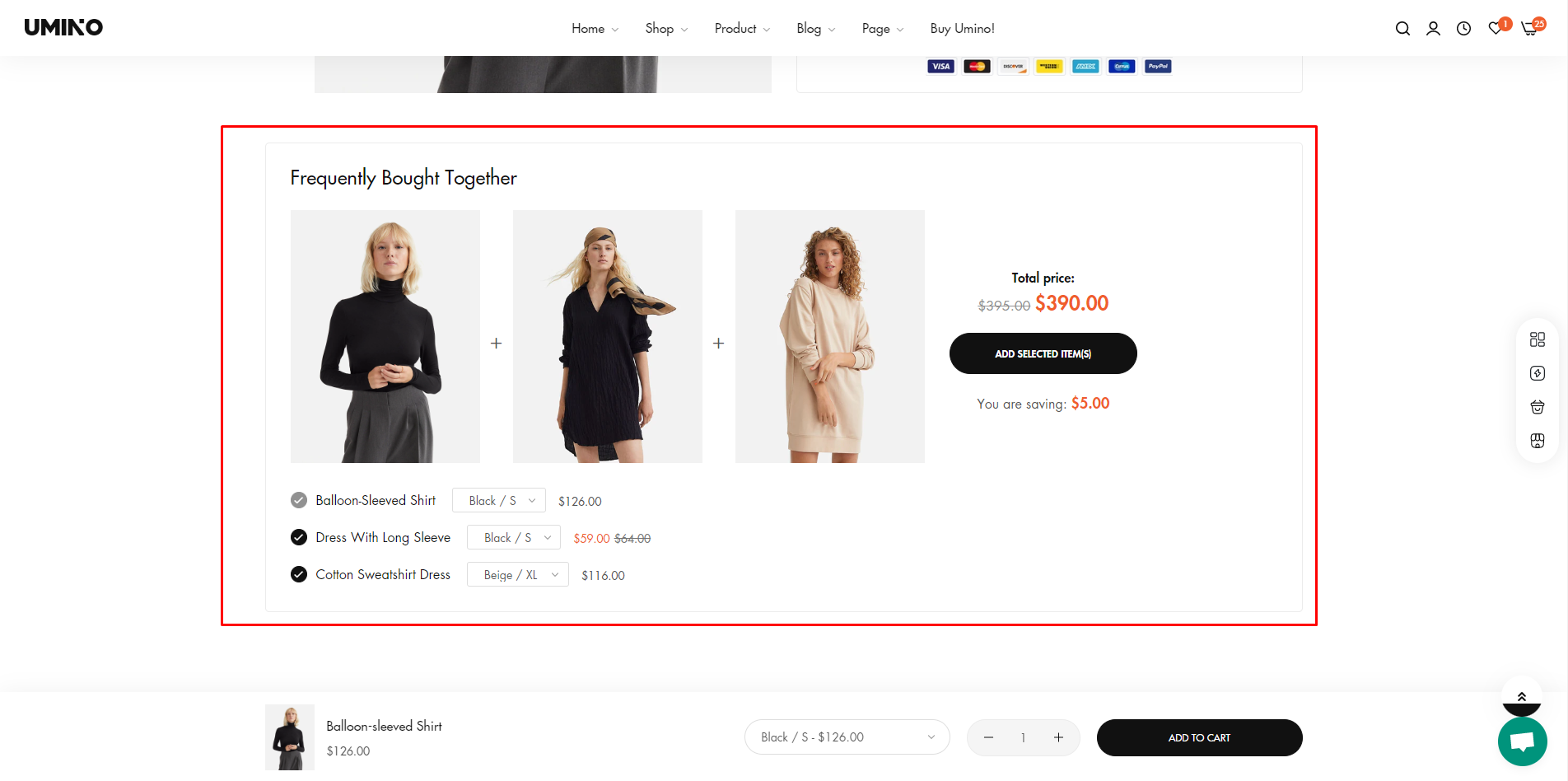
Setup Frequently Bought Together

Written by ThuHuong_FE_NextSky
Last updated
A "Frequently Bought Together" feature on Shopify is a list of products that are recommended to buy together with the product customers viewing.
To setup Frequently Bought Together, please follow these steps:
Step 1: Create metafields
To create metafields for Frequently Bought Together, please follow this article.
Step 2: Setup product
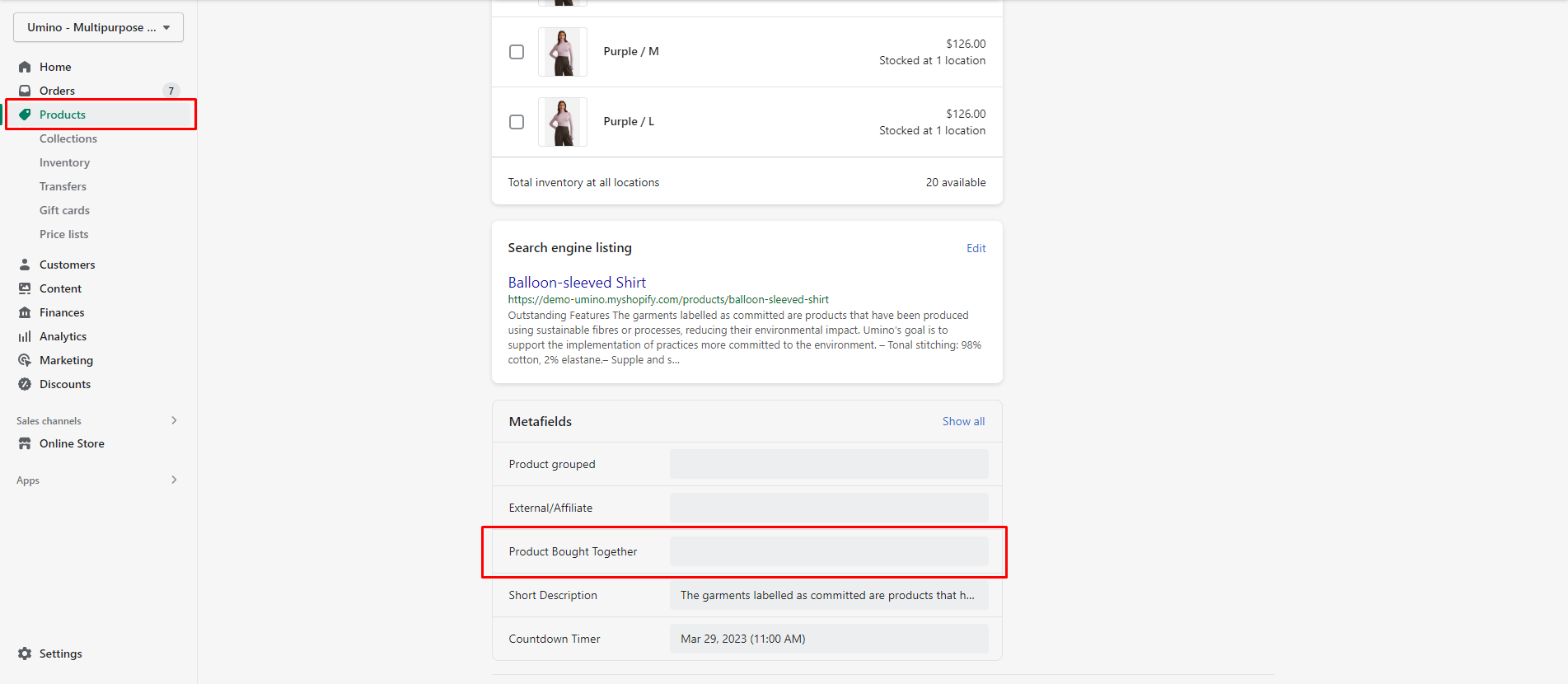
From your admin, go to Products and select the products to setup
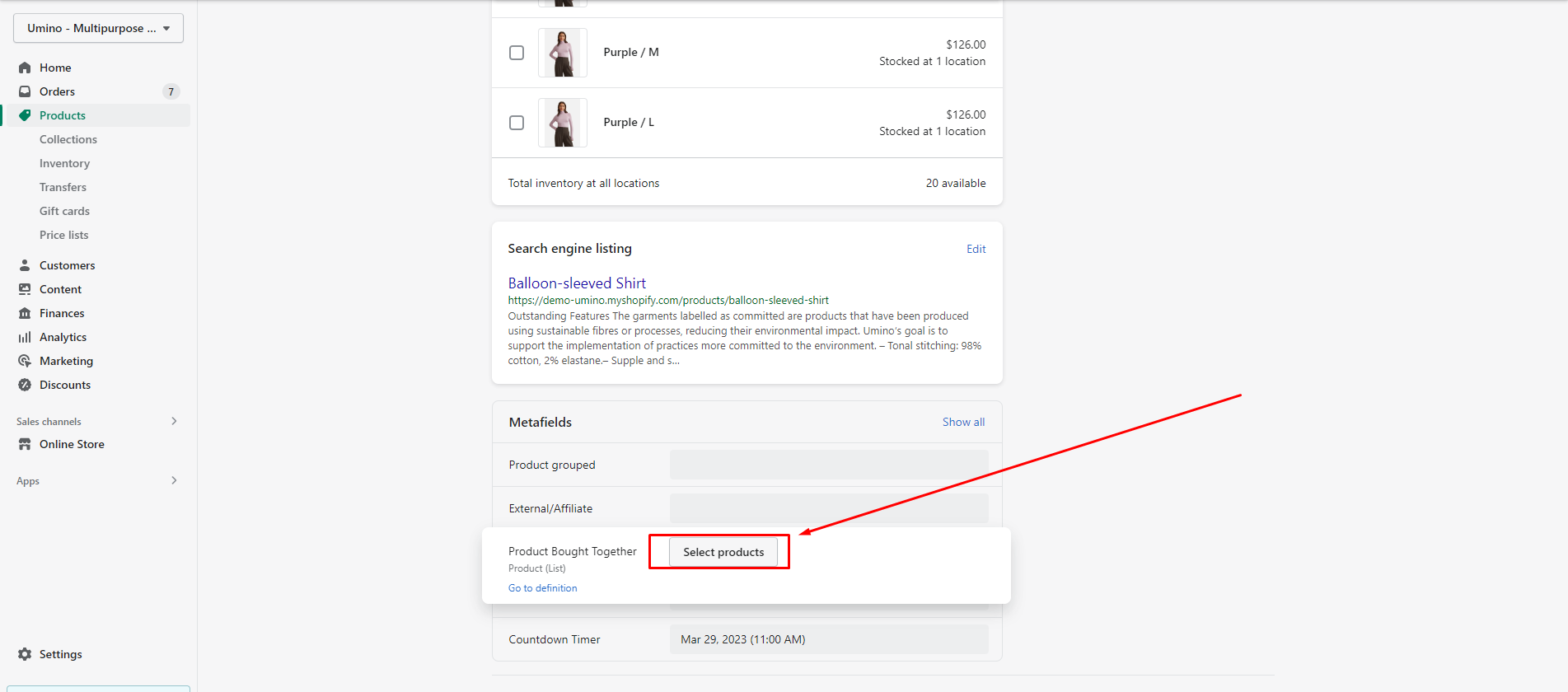
Scroll down to Metafields and click to Product Bought Together
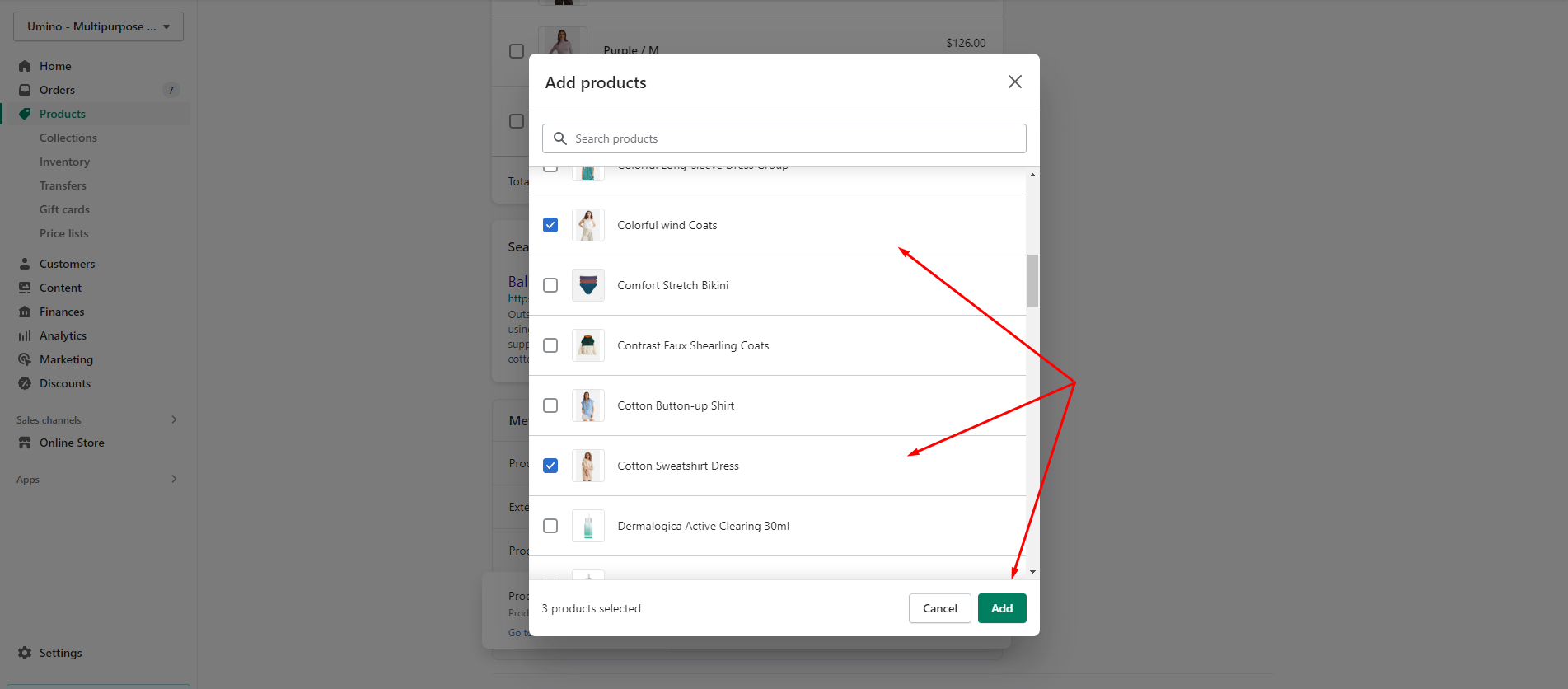
Click to Select Products and select the products
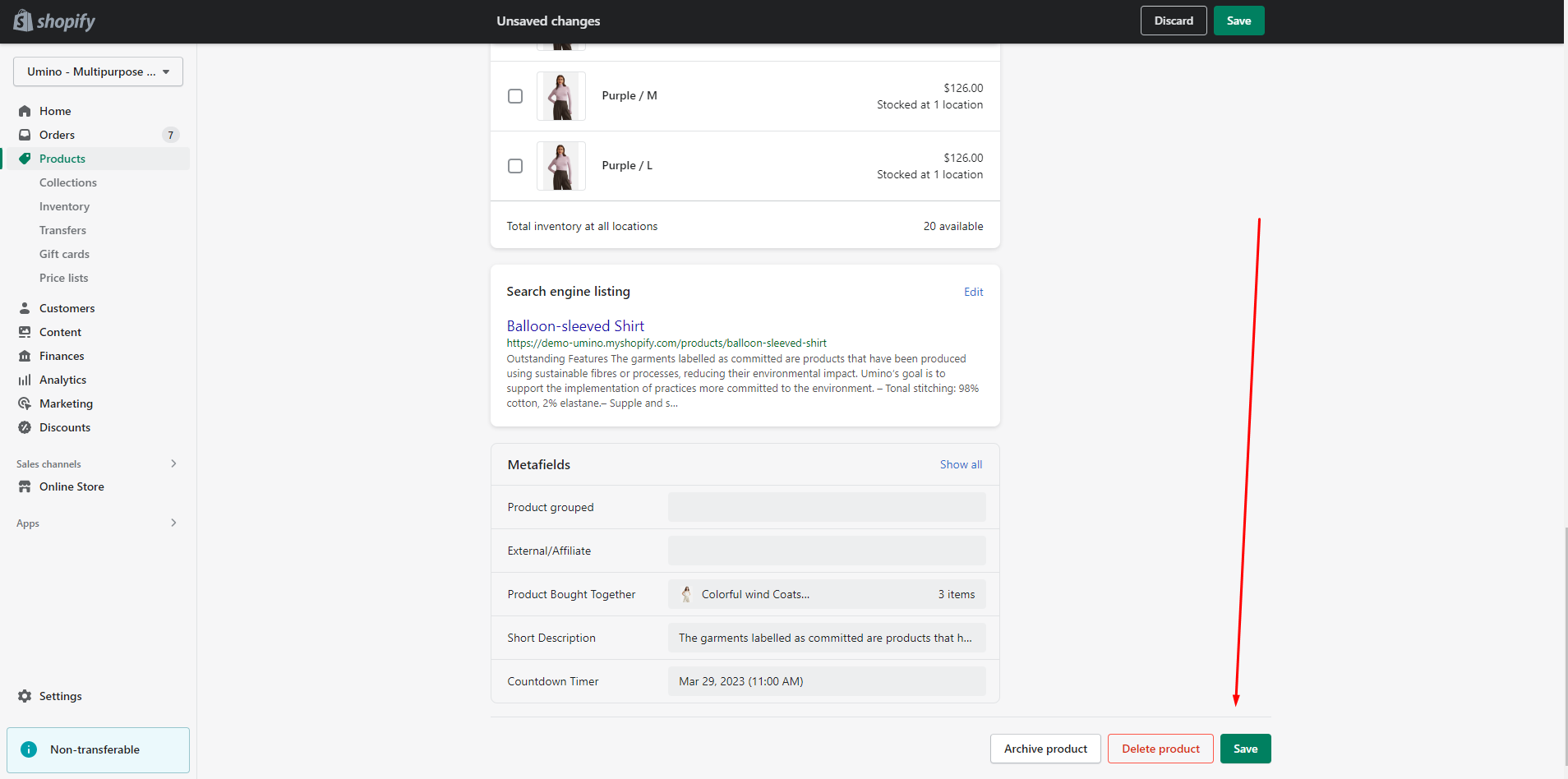
Save this change and you can see the result